Georgios Kormpos

Six Zero-Days, a Banned Researcher, and Microsoft’s Digital Crimes Unit: The Chaotic Eclipse Feud Goes Nuclear

This is a developing story and the follow-up to our earlier coverage of Chaotic Eclipse’s Windows zero-day campaign. We’ll update as the situation evolves.

Six weeks ago, a pseudonymous researcher dropped three unpatched Windows zero-days on the internet and dared Microsoft to do something about it. Microsoft patched some. Didn’t patch others. And the researcher kept going.

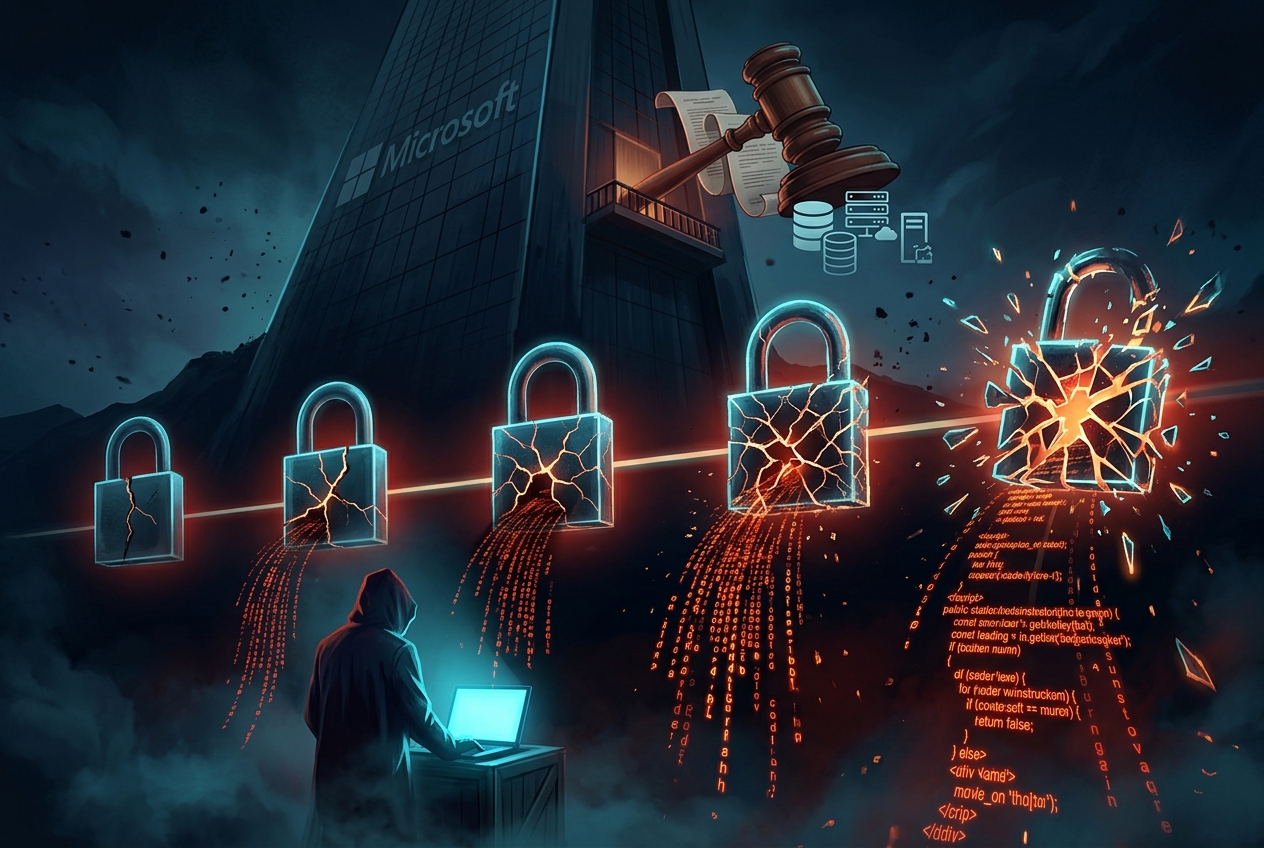
Now there are six zero-days with public exploit code. Microsoft has gone nuclear – wiping the researcher’s GitHub account, publishing a blog post that reads like a legal threat, and invoking its Digital Crimes Unit. The researcher, now operating from a personal blog after being banned from both GitHub and GitLab, has promised something “bone shattering” for July 14, 2026 – the next Patch Tuesday.

What started as a frustrated security researcher’s protest has become the most consequential disclosure feud in recent memory. And it’s nowhere near over.

Where we left off

In our first article, we covered the initial wave: a researcher using the handles Chaotic Eclipse, Nightmare Eclipse, and Dead Eclipse had publicly released three zero-days – YellowKey (BitLocker bypass), GreenPlasma (privilege escalation via ctfmon.exe), and MiniPlasma (a ghost from CVE-2020-17103 that still works on fully patched Windows 11). All came with proof-of-concept code. All were dropped right after Microsoft’s monthly Patch Tuesday, like clockwork.

At the time, these were on top of three earlier exploits – BlueHammer, RedSun, and UnDefend – bringing the total to six zero-days released in about six weeks. We knew the motivation: frustration with Microsoft’s Security Response Center (MSRC). We didn’t yet know how far both sides were willing to go.

Now we do.

The patch scoreboard: 3 down, 3 to go

Let’s start with where things actually stand on the patches, because the picture has shifted significantly since our last article:

Patched (with CVEs)

  • BlueHammer (CVE-2026-33825): Patched in the April 14 Patch Tuesday. This was the earliest drop and the first to get a fix.
  • RedSun (CVE-2026-41091): Patched via an out-of-band Microsoft Defender update on May 21. This is a privilege escalation in the Microsoft Defender Malware Protection Engine that lets a low-privileged local attacker gain SYSTEM access via a link-following issue. Fixed in Defender engine version 1.1.26040.8. Critically, RedSun was confirmed actively exploited in the wild and has been added to CISA’s Known Exploited Vulnerabilities catalog.
  • UnDefend (CVE-2026-45498): Also patched out-of-band on May 21 in the same Defender update (platform version 4.18.26040.7). UnDefend is a denial-of-service attack that locks Defender’s signature and definition files, effectively degrading or disabling protection. Also confirmed actively exploited. Also in CISA’s KEV catalog. Federal agencies have until June 3 to patch both.

Still unpatched

  • YellowKey (CVE-2026-45585): The BitLocker bypass. Microsoft has assigned a CVE and issued mitigation guidance (remove autofstx.exe from WinRE’s BootExecute and switch to TPM+PIN), but a full patch is still not available. Microsoft labels it “exploitation more likely” with a working public PoC. Default BitLocker configurations remain vulnerable.
  • GreenPlasma: The privilege escalation via ctfmon.exe. No CVE assigned. No patch. No mitigation. The public PoC currently triggers a UAC prompt, but a fully silent version is considered trivially achievable by security researchers.
  • MiniPlasma: The ghost of CVE-2020-17103 via the Cloud Filter driver (cldflt.sys). Microsoft has assigned CVE-2026-33835 and CVE-2026-34337 for related Cloud Filter driver vulnerabilities and issued fixes around May 9-12. However, the specific MiniPlasma exploit variant and its implications continue to be discussed in the security community, with researchers noting that similar attack techniques may still have residual exposure paths. Appears mitigated in Insider Canary builds.

So: three patched, three still causing headaches. And the three that are patched? They were already being exploited in real attacks before the fixes shipped. BlueHammer, RedSun, and UnDefend have all been spotted in confirmed network intrusions by Huntress and other security firms. The PoCs were public. The threat actors moved fast.

Microsoft breaks its silence and points at the lawyer

For weeks, Microsoft’s only response to the escalating zero-day campaign was the standard “aware and investigating.” That changed on May 28, when MSRC published a blog post titled “A Shared Responsibility: Protecting Customers Through Coordinated Vulnerability Disclosure.”

The title sounds reasonable. The content is anything but.

Microsoft’s core argument: none of the six vulnerabilities were reported through official channels before being made public. Therefore, the disclosures were irresponsible. Therefore, the researcher put customers at risk. The post reaffirms Microsoft’s commitment to Coordinated Vulnerability Disclosure (CVD) and claims the process “ensures researchers are compensated for their responsible disclosures and publicly acknowledged for their expertise.”

And then comes the paragraph that made the entire security community sit up straight:

“Our Digital Crimes Unit will continue bringing cases against these actors and those that enable their criminal activity — coordinating as needed with law enforcement around the world.”

That’s not a blog post about disclosure policy. That’s a threat. Microsoft is explicitly equating public vulnerability disclosure with criminal activity and signalling that its legal apparatus – the Digital Crimes Unit, which normally goes after botnet operators and ransomware gangs – is now pointed at a security researcher.

Microsoft declined to answer specific questions from The Register about whether it plans to sue the researcher, whether the researcher is a current or former employee, or whether it deleted the researcher’s MSRC reporting account as alleged.

GitHub, GitLab, and the de-platforming of a researcher

Before the legal threats came the platform bans.

On approximately May 23, GitHub – which is owned by Microsoft – flagged and wiped the researcher’s repositories and banned the account entirely. The exploit code for all six zero-days, previously hosted on GitHub, was removed.

The researcher quickly migrated to GitLab, reposting the PoCs on a new account. That lasted about three days. GitLab suspended the account on May 26-27 for hosting weaponized zero-day exploit code, citing platform policy violations.

With both major code-hosting platforms closed, Nightmare Eclipse is now publishing exclusively from a personal blog – deadeclipse666.blogspot.com – and signing posts with PGP keys to verify authenticity.

Here’s the uncomfortable reality: de-platforming the code doesn’t de-platform the vulnerability. The PoCs were already public. They’d been downloaded, mirrored, and incorporated into attack toolkits. Removing them from GitHub is a symbolic gesture at this point and a heavy-handed one that has drawn sharp criticism from parts of the security community.

Nightmare Eclipse responds: “I’m done begging you”

The researcher’s response came on May 24, in a PGP-signed blog post that directly addresses Microsoft. It is angry, personal, and worth reading in full. Key excerpts:

“When I actively asked you to communicate with me, you refused, humiliated me and made sure to insult me in front of people.”

“You defame me in public with your CVE-2026-45585 advisory even though you literally deleted the Microsoft account I used to report bugs to you with and I got zero pennies from doing so and I still happily did like an idiot.”

“Now you take the courtesy to flag my GitHub account and wipe it out of the public, just like that? You are proving to everyone that you actively escalating this conflict but I’m done begging you.”

The researcher claims to have documentation – “proof for every single word I said” – but says Microsoft “still has chains in my hands” preventing release. The language suggests the researcher may be a current or former Microsoft employee or contractor, bound by legal agreements. This would explain both the deep Windows knowledge and the acrimony.

And then, the line that made headlines everywhere:

“Mark this date July 14th, I will make sure your bones are shattered that day.”

July 14, 2026 is Patch Tuesday. The researcher has indicated no new releases are planned for June, though they “reserved the right to change course.” Previous posts warned of an escalation to remote code execution vulnerabilities.

Let me be clear: every single prior warning from this researcher was followed by an actual disclosure. The track record is 6-for-6.

Illustration: A severed bridge between a corporate tower and a lone figure, with broken exploit code fragments falling into the chasm — representing the total breakdown of coordinated vulnerability disclosure.
The severed bridge: when the social contract of coordinated vulnerability disclosure collapses completely.

The security community reacts

The response from the broader security community has been nuanced critical of both sides, but particularly pointed at Microsoft’s handling of the situation.

Katie Moussouris (Luta Security CEO, pioneered Microsoft’s bug bounty program)

Moussouris, who literally created Microsoft’s bug bounty program and coined the term “Coordinated Vulnerability Disclosure” to replace the loaded phrase “responsible disclosure,” didn’t mince words. She called Microsoft’s blog post “confusing” and “vaguely threatening,” noting:

“It confusingly claims their program ‘ensures researchers are compensated and publicly acknowledged’ in a statement answering a researcher who says he got neither.”

She also pointed out that Microsoft’s own post uses the outdated and subjective term “responsible disclosure” — the very term she retired at Microsoft years ago because “it got in the way of coordination when the two sides disagreed.”

On the deeper dynamic:

“The researcher’s grievances are serious and specific… It is the sound of someone who believes every legitimate channel was closed to them: GitHub account deleted, payments withheld, credit stripped, then publicly accused of violating CVD after Microsoft cut off their ability to coordinate.”

“The bugs are Microsoft’s. They wrote the code and they own the risk to customers. This is a David and Goliath dynamic we don’t like to see play out, especially since it’s users who lose when coordination negotiations fail.”

Dustin Childs (Zero Day Initiative, former Microsoft security)

Childs, who spent seven years on Microsoft’s security team and has decades of CVD experience on both sides, questioned Microsoft’s narrative:

“CVD is a two-way street. The vendor has some responsibility as well, so to go out publicly stating this person violated CVD without showing any of the correspondence seems bold.”

He also criticized Microsoft’s failure to provide clear defensive guidance, noting that “clear direction seems to be missing” for customers trying to protect themselves.

On Microsoft’s broader reputation:

“If anything, they are seen as difficult to work with, especially if your bug is Moderate instead of Critical. I’ve had researchers tell me that they stopped looking at Microsoft altogether because they were too difficult to work with.”

Kevin Beaumont (security researcher, former Microsoft employee)

Beaumont called the situation a “dumpster fire of Microsoft’s own making” and pointed out a delicious irony: Microsoft previously hired a hacker known as SandboxEscaper after she published zero-day PoCs for Microsoft products. The same behavior that Microsoft now characterizes as criminal was once a resume booster.

“If Microsoft’s tactic is to try to criminalise not following often arbitrary ‘responsible disclosure’ frameworks, good luck defending that in court — because there’s a whole clown car of prior decision making within Microsoft and facts which would emerge in that process.”

Muhammad Qasim Shahzad (systems engineer, LinkedIn)

“One person caused more enterprise-level damage in six weeks than most APT groups cause in a year. The gap between disclosure and weaponization is now measured in hours, not days. Your patching window is shrinking fast.”

Active exploitation is confirmed. This is not theoretical.

Let’s be crystal clear about something: this is no longer a disclosure debate happening in academic circles. These exploits are being used in real attacks against real organizations.

Huntress has confirmed that BlueHammer, RedSun, and UnDefend have all been seen in active network intrusions. Barracuda Networks reports that the exploit chain – combining privilege escalation via BlueHammer, RedSun, or MiniPlasma with Defender suppression via UnDefend – has been incorporated into confirmed attack campaigns.

CISA has added BlueHammer (CVE-2026-33825), RedSun (CVE-2026-41091), and UnDefend (CVE-2026-45498) to its Known Exploited Vulnerabilities catalog. US federal agencies are required to patch CVE-2026-41091 and CVE-2026-45498 by June 3, 2026.

The time between PoC publication and active exploitation was measured in hours, not days. The “patch window” that security teams rely on to close vulnerabilities before attackers exploit them? Gone. Vaporized. The moment the code went public, the clock was already at zero.

The bigger picture: when disclosure goes nuclear

Strip away the personalities and the drama for a moment, because there’s something fundamentally important happening here that goes beyond one researcher and one company.

Coordinated Vulnerability Disclosure is a social contract. The researcher agrees to give the vendor time to fix the bug before going public. The vendor agrees to communicate in good faith, acknowledge the report, credit the researcher, and – crucially – pay a fair bounty. Both sides have obligations. When one side fails, the contract breaks down.

What we’re watching is what happens when that contract collapses completely.

The researcher says Microsoft ignored their reports, refused to communicate, paid nothing, deleted their reporting account, and then publicly shamed them in a CVE advisory. Microsoft says the researcher never used official channels, published weaponized code recklessly, and put customers at risk. Both narratives could be simultaneously true – and in this case, the truth probably involves generous helpings of failure on both sides.

But here’s what’s genuinely new and genuinely dangerous: Microsoft is weaponizing its legal infrastructure against a vulnerability researcher. The Digital Crimes Unit exists to fight botnets, ransomware, and organized cybercrime. Pointing it at someone who found bugs in your product – bugs that exist in your code – is an escalation that the security community is watching very, very closely.

Moussouris warned of a “chilling effect on other researchers.” Childs noted that researchers are already avoiding Microsoft because they’re “too difficult to work with.” If the consequence of a dispute with MSRC is a visit from the Digital Crimes Unit, how many researchers will simply stop looking at Microsoft products entirely? How many bugs will go unreported?

The bugs don’t disappear when researchers stop looking. They just get found by people who don’t report them at all.

What you should do right now

While Microsoft and Nightmare Eclipse wage war, Windows users are caught in the crossfire. Here’s the practical guidance:

Immediate Actions

  • Update Microsoft Defender NOW. Ensure your Defender engine is at least 1.1.26040.8 and platform version 4.18.26040.7. This covers RedSun and UnDefend. Check with "C:\Program Files\Windows Defender\MpCmdRun.exe" -signatureinfo or via Windows Security settings.
  • Apply May 2026 Patch Tuesday updates. These include fixes for the Cloud Filter driver vulnerabilities (CVE-2026-33835, CVE-2026-34337) related to MiniPlasma.
  • Enable TPM+PIN for BitLocker. Not TPM-only. This is still the most effective mitigation against YellowKey. Yes, it’s inconvenient. Do it anyway.
  • Check CISA KEV compliance. If you’re a US federal agency (or follow KEV for prioritization), BlueHammer, RedSun, and UnDefend are on the list. The deadline for RedSun and UnDefend is June 3.
  • Assume YellowKey and GreenPlasma are live threats. Public PoCs exist. No patches exist. Treat any machine using default BitLocker settings as potentially compromised if physically accessed.

Defensive Posture

  • Monitor for lateral movement. The confirmed attack chains combine privilege escalation with Defender suppression. Watch for unexpected SYSTEM-level activity, Defender being disabled or having its signatures locked, and privilege escalation from standard user contexts.
  • Layer your defenses. With three zero-days still unpatched, no single control is sufficient. Combine endpoint detection, network segmentation, application allowlisting, and physical security controls.
  • Watch for July 14. Whatever Nightmare Eclipse is planning, it’s coming. Have your incident response plans ready and your patch processes as fast as they can be. The researcher’s track record is 100% on following through on threats.
  • Check your Defender isn’t silently degraded. UnDefend works by locking Defender’s signature files. Verify that Defender is actually updating and scanning — not just running with stale or locked definitions.

The Bottom Line

Six zero-days. A researcher banned from every major code-hosting platform. Microsoft’s Digital Crimes Unit being pointed at the person who found the bugs instead of the bugs themselves. Active exploitation confirmed in the wild. And a countdown to July 14 that nobody in the security community is dismissing as bluster.

Chaotic Eclipse may have started this fight. But Microsoft’s response — the de-platforming, the legal threats, the public shaming while refusing to answer basic questions about its own conduct — has turned a disclosure dispute into something much bigger. The security community’s reaction isn’t sympathy for reckless disclosure. It’s alarm at a multitrillion-dollar company treating vulnerability researchers as criminals.

The bugs in Windows are Microsoft’s. They wrote the code. They own the risk. And right now, three of those bugs still have public exploit code and no patch, while Microsoft and the researcher who found them are busy destroying each other.

July 14 is 47 days away. The clock is ticking.


Sources

The Worm That Ate the Supply Chain: How One Threat Actor Compromised GitHub, npm, and the Tools You Trust

This Isn’t a Single Breach. It’s a Campaign.

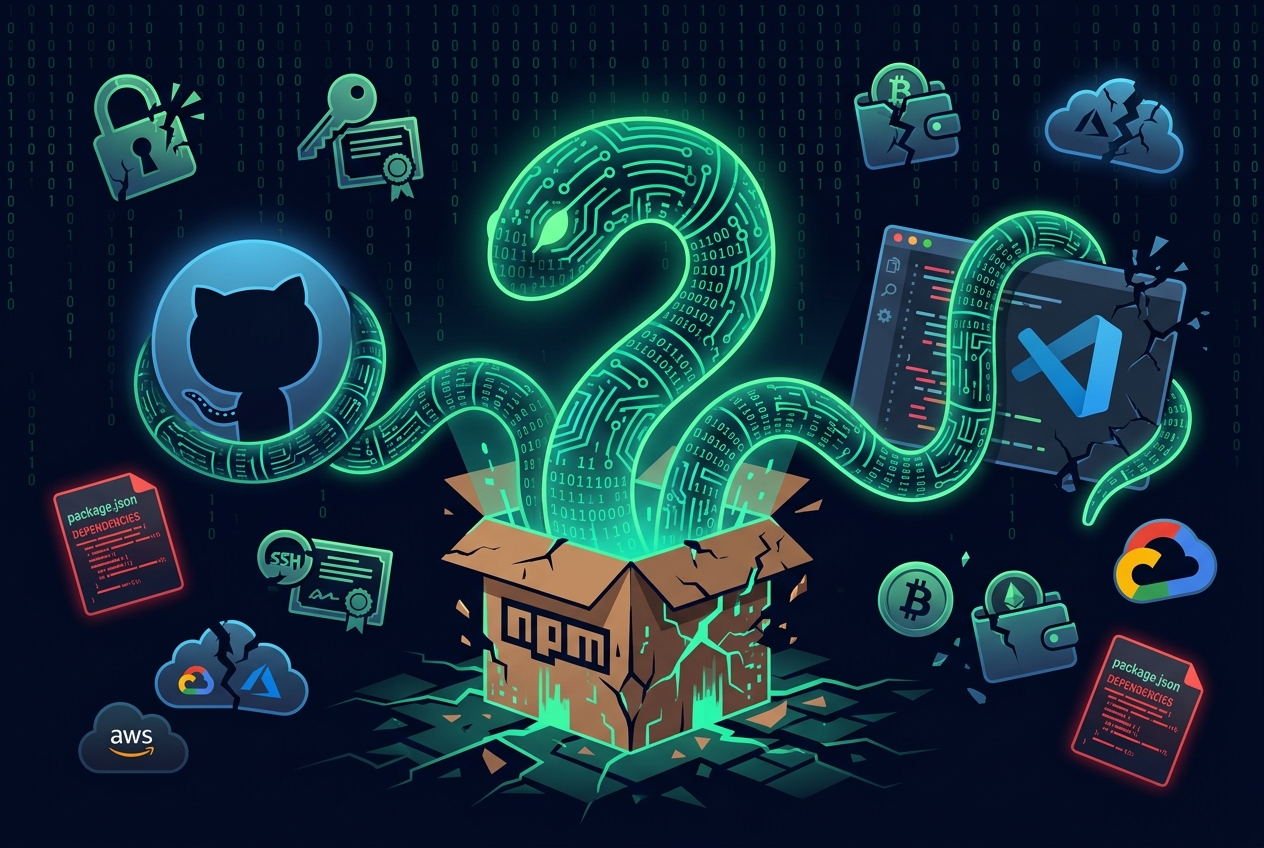
Imagine a threat actor so persistent, so methodical, that they’ve spent the better part of a year systematically compromising the tools developers use every single day – the CI pipelines, the package registries, the code editor extensions. Now imagine they got into GitHub’s own internal repositories by poisoning a VS Code extension installed on an employee’s laptop.

That’s not a hypothetical. That’s TeamPCP, also tracked by Google Threat Intelligence Group as UNC6780. And their ongoing supply-chain campaign – anchored by a self-replicating worm dubbed “Mini Shai-Hulud” – has been one of the most aggressive attacks on developer infrastructure in recent memory.

The worm doesn’t just steal your npm tokens. It steals your crypto wallets. It decrypts your saved Chrome passwords. It validates every credential it finds with TruffleHog, uses them to access your cloud infrastructure, and then sells that access to ransomware operators. If you try to revoke the stolen tokens? Some variants will wipe your home directory as a parting gift.

Here’s what happened, why it matters, and what you should do about it.

What Is Mini Shai-Hulud?

Named after the sandworms of Dune (because apparently threat actors are Frank Herbert fans), Mini Shai-Hulud is a self-propagating supply-chain worm that targets GitHub Actions pipelines, npm, and PyPI. It doesn’t just plant malicious code but it reproduces. Steal a token from one package maintainer? Use it to publish malicious versions of every package that token can touch. Those malicious packages steal more tokens. The worm spreads.

The original Shai-Hulud worm appeared in September 2025, when over 500 npm packages were removed from the registry after a self-replicating credential-stealing worm swept through the ecosystem. It harvested GitHub tokens, npm publish tokens, and cloud credentials (AWS, GCP, Azure) from developer machines and CI runners, then used those stolen tokens to infect every package it could reach.

Mini Shai-Hulud is the evolved, more dangerous successor and it’s been devastating throughout 2026.

The Latest Wave: AntV Ecosystem (May 19, 2026)

On May 19, 2026, the attackers compromised the npm account atool, a maintainer of the popular @antv family of data-visualization packages. In a single 22-minute automated burst (01:39–02:06 UTC), they published approximately 639 malicious versions across 323 packages.

Those packages, including @antv/g2, @antv/g6, @antv/x6, @antv/l7, @antv/s2, and related libraries like echarts-for-react and timeago.js, collectively account for roughly 16 million weekly downloads.

The malicious versions embedded an obfuscated ~498KB JavaScript payload, executed via npm lifecycle hooks (preinstall scripts). It downloaded and ran the Bun runtime to evade Node.js-based detections, then went to work stealing everything it could find.

Rule of thumb: any @antv package published on May 19, 2026 should be treated as compromised.

The GitHub Breach: 3,800 Internal Repositories

One day after the AntV attack, on May 20, 2026, GitHub publicly confirmed that a threat actor had exfiltrated roughly 3,800 internal GitHub repositories.

The vector was almost painfully simple: a GitHub employee installed a poisoned VS Code extension from the official marketplace on their workstation. That single action was enough to compromise the device and give the attacker access to GitHub’s internal codebase.

GitHub disclosed the incident in a series of posts on X, stating they had “detected and contained a compromise of an employee device involving a poisoned VS Code extension.” They isolated the endpoint, removed the malicious extension, and began rotating critical secrets overnight.

The extension in question? Nx Console (nrwl.angular-console), a verified extension with over 2.2 million installs. The malicious version (v18.95.0) silently collected credentials from any workspace a developer opened. It was live for approximately 18 minutes on the VS Code Marketplace before being pulled.

Eighteen minutes. That’s all it took.

TeamPCP claimed the attack on the Breached cyber-crime forum, offering the stolen repositories for sale at a minimum of $50,000, with the usual threat to leak everything if no buyer emerged.

GitHub has stated there is no evidence that customer data was impacted, only internal repositories.

Same Team, Same Campaign

Here’s what connects the dots: both the Mini Shai-Hulud supply-chain worm and the GitHub internal repositories breach are attributed to the same threat actor. These aren’t copycats or coincidences. This is one sustained, coordinated campaign targeting developer tooling across the entire software supply chain.

TeamPCP (also known by handles like PCPcat, ShellForge, and DeadCatx3) operates with a consistent playbook: compromise the tools developers trust, steal credentials, use those credentials to compromise more tools, and monetize through access brokerage and extortion. Their primary payload, tracked as SANDCLOCK, is a credential stealer that scrapes process memory, sweeps filesystems for API keys and SSH keys, and targets cloud metadata services.

Google Threat Intelligence Group (GTIG) formally tracks this activity as UNC6780.

What the Worm Actually Does (The Technical Deep-Dive)

This is where things get genuinely alarming. The Mini Shai-Hulud payload isn’t just a simple token stealer. It’s a full-spectrum credential harvesting operation. Here’s what security researchers have documented:

Postinstall Hook

The worm adds a postinstall script to compromised packages – something like node scripts/check-env.js || true. The || true ensures the script never throws an error, so the install completes silently and nobody’s the wiser.

The Great Credential Sweep

Once executed, the payload (an obfuscated JavaScript file, sometimes exceeding 11 MB after deobfuscation) sweeps 134 distinct credential paths on developer machines and CI runners. The target list is breathtaking in its scope:

  • Cloud credentials: AWS (~/.aws/credentials, IMDS, ECS task metadata, Secrets Manager, SSM parameters), Azure (~/.azure/, Key Vault), GCP (~/.config/gcloud/, Secret Manager)
  • DevOps & CI/CD: GitHub PATs and OAuth grants, npm tokens (filtered for bypass_2fa: true), Terraform state files and credentials, Kubernetes configs and service account tokens
  • SSH keys and TLS certificates: ~/.ssh/id_*, *.pem, *.key, *.p12, Let’s Encrypt certificates
  • AI tooling: Claude AI configs (~/.claude.json, MCP server configs), Kiro IDE settings — not just stealing credentials but also planting persistence hooks in AI coding agent configurations
  • Password managers: 1Password CLI, Bitwarden CLI, LastPass CLI configurations
  • Messaging app sessions: Signal, Slack cookies, Discord, Telegram, Element
  • VPN configs: NordVPN, ProtonVPN, OpenVPN, FileZilla server lists
  • Shell history: .bash_history, .zsh_history, .mysql_history, .psql_history
  • System files: /etc/passwd, /etc/shadow, auth logs

Crypto Wallet Theft

The payload explicitly targets cryptocurrency wallet data across a remarkable range of platforms:

  • Bitcoin: wallet.dat files
  • Ethereum: keystore directories
  • Solana: validator keypairs
  • Desktop wallets: Exodus, Electrum, Atomic Wallet, Ledger Live
  • Browser-based wallets: MetaMask vault data (Chrome, Brave, Firefox), Phantom wallet data
  • Other chains: Cardano signing keys, Monero, Litecoin, Dogecoin, Zcash, Dash, Ripple configurations

If you run a crypto wallet on the same machine you develop on this worm was designed to find it.

Chrome Password Decryption on Linux

The payload also targets saved browser passwords. On Linux, Chrome’s legacy password storage used a key derived from PBKDF2("peanuts", "saltysalt") which is a well-known weakness that means any code running in the user’s context can decrypt saved passwords. The malware takes full advantage.

Encrypted Exfiltration

Everything the worm collects is compressed, encrypted with AES-256-GCM, and the AES key is wrapped with RSA-4096 OAEP SHA-256 using an attacker-controlled public key embedded in the payload. Even if defenders intercept the exfiltrated data, they cannot read it without the attacker’s private key.

The encrypted data is then exfiltrated through two redundant C2 channels: a webhook endpoint and an Internet Computer (ICP) canister, a clever choice that makes the C2 infrastructure resilient and difficult to take down.

Self-Propagation

When the worm finds npm publish tokens, it doesn’t just hoard them. It:

  1. Lists every package the token can publish.
  2. Injects the malicious payload into each package’s package.json (adding the postinstall hook) and tarball.
  3. Bumps the version number and publishes directly to the npm registry via raw HTTP PUT – bypassing the npm CLI entirely and its standard telemetry.
  4. Filters specifically for tokens with bypass_2fa: true – because even 2FA won’t save you if the token can skip it.

The worm has also demonstrated cross-ecosystem jumps, attempting to propagate from npm into PyPI via import-time code execution in compromised Python packages and extending its reach beyond the JavaScript ecosystem entirely.

Process Memory Extraction

On GitHub Actions runners, the payload spawns a child process that reads /proc/{pid}/mem of the Runner.Worker process, extracting masked secrets directly from runner memory. This means even secrets that GitHub masks in logs are still accessible to the malware at runtime.

Dead Man’s Switch

Some variants include a background daemon that monitors whether stolen tokens are still valid. If tokens are revoked, meaning that you try to cut off the attacker’s access, the daemon can wipe the victim’s entire home directory. The attackers prioritize speed over stealth, and they’d rather destroy your data than lose access gracefully.

The Ransomware Connection

TeamPCP doesn’t stop at credential theft. According to security researchers, they use TruffleHog to rapidly validate every stolen credential against live services confirming which cloud keys, GitHub tokens, and API keys still work, often within hours of theft. Those validated credentials are then used in two ways:

  • Direct exploitation: Accessing cloud infrastructure (AWS, Azure, GCP), pivoting through CI/CD systems, and selling access to other threat actors.
  • Initial access brokerage: TeamPCP appears to operate as an Initial Access Broker (IAB), selling validated access to groups including ransomware operators. Reporting suggests connections to groups like ShinyHunters and an associated ransomware operation tracked as CipherForce.

So that stolen npm token doesn’t just mean someone published a malicious package. It means someone with a validated cloud credential from your CI pipeline could be handing ransomware operators the keys to your production infrastructure.

The 2026 Hit List

This campaign didn’t start with the AntV packages, and it hasn’t stopped. Here’s a timeline of confirmed and attributed incidents throughout 2026:

March 2026: Trivy → Checkmarx → LiteLLM Cascade

  • Aqua Security Trivy (March 19): Compromised GitHub Action tags and release pipelines. The root vulnerability was tracked as CVE-2026-33634 (CVSS 9.4). Thousands of CI/CD workflows ran poisoned Trivy actions. Stolen credentials powered the next wave of attacks.
  • Checkmarx KICS (March 21–23): GitHub Action workflows and OpenVSX plugins trojanized. Anyone running the affected actions in a ~13-hour window had credentials stolen.
  • LiteLLM (March 23): CI/CD pipeline compromised (which itself used Trivy). Malicious PyPI releases 1.82.7 and 1.82.8 exfiltrated AI provider API keys — particularly damaging because LiteLLM stores keys for multiple AI services in one place.
  • Telnyx Python SDK also compromised during this wave.

April 2026: Dormant Packages and the Bitwarden Cascade

  • @fairwords packages (April 8): Three packages – @fairwords/websocket, @fairwords/loopback-connector-es, and @fairwords/encryption – were compromised. All three had been dormant since 2022, making them easy targets with likely stale but still-valid maintainer tokens. Malicious versions 1.0.38–1.0.39, 1.4.3–1.4.4, and related versions were published with the worm’s postinstall credential stealer.
  • Checkmarx KICS Docker image (April 22): TeamPCP poisoned checkmarx/kics:latest on Docker Hub.
  • Bitwarden CLI (April 22): Bitwarden’s CI/CD automatically pulled the malicious KICS image via Dependabot. This cascaded into the compromise of @bitwarden/cli npm package version 2026.4.0. A password manager’s own publishing pipeline, compromised by a security scanner’s Docker image. The irony writes itself.

May 2026: TanStack, AntV, Microsoft, node-ipc, GitHub

  • TanStack (May 11): 84 malicious artifacts across 42 @tanstack packages published in approximately 6 minutes. @tanstack/react-router alone has ~12 million weekly downloads. This was the first documented npm malware with valid SLSA Build Level 3 provenance – the attacker abused the official build system itself. The payload included a 1-in-6 disk-wipe trigger specifically targeting hosts in Israeli and Iranian locales.
  • node-ipc (May 14): Three versions — 9.1.6, 9.2.3, and 12.0.1 – were compromised with an obfuscated stealer/backdoor. The payload was injected into the CommonJS bundle (node-ipc.cjs) as an obfuscated IIFE that triggered on every require('node-ipc'). It harvested credentials across ~90 categories and exfiltrated via HTTPS and a DNS TXT-based channel, overriding the system DNS resolver to use Google Public DNS (8.8.8.8) to bypass local DNS security. node-ipc has hundreds of downstream dependents.
  • AntV ecosystem (May 19): 323 packages, 639 malicious versions, 16 million weekly downloads. 22 minutes.
  • Microsoft durabletask Python SDK (PyPI): Three progressively compromised versions delivering a credential-stealing payload that spreads through AWS and Kubernetes environments.
  • Nx Console VS Code extension (May 18–19): Verified extension with 2.2M installs backdoored. Used to breach GitHub’s internal repositories.

Also in the Campaign Scope

  • SAP CAP packages (@cap-js/sqlite, @cap-js/postgres, @cap-js/db-service, mbt) – compromised via misconfigured npm Trusted Publishing OIDC binding that trusted any workflow in the repository, not just the canonical release workflow
  • Axios npm package (targeted in a concurrent compromise – reporting suggests this may be a different threat actor, UNC1069, but may have used tokens stolen in the broader TeamPCP credential ecosystem)
  • Checkmarx Jenkins AST plugin (third Checkmarx compromise in three months – malicious plugin installed on hundreds of Jenkins controllers)
  • UiPath, Mistral AI, OpenSearch, Guardrails AI, Intercom client – packages tied to these organizations also hit in various waves
  • PyTorch Lightning (PyPI) – versions 2.6.2 and 2.6.3 compromised with import-time credential-stealing code
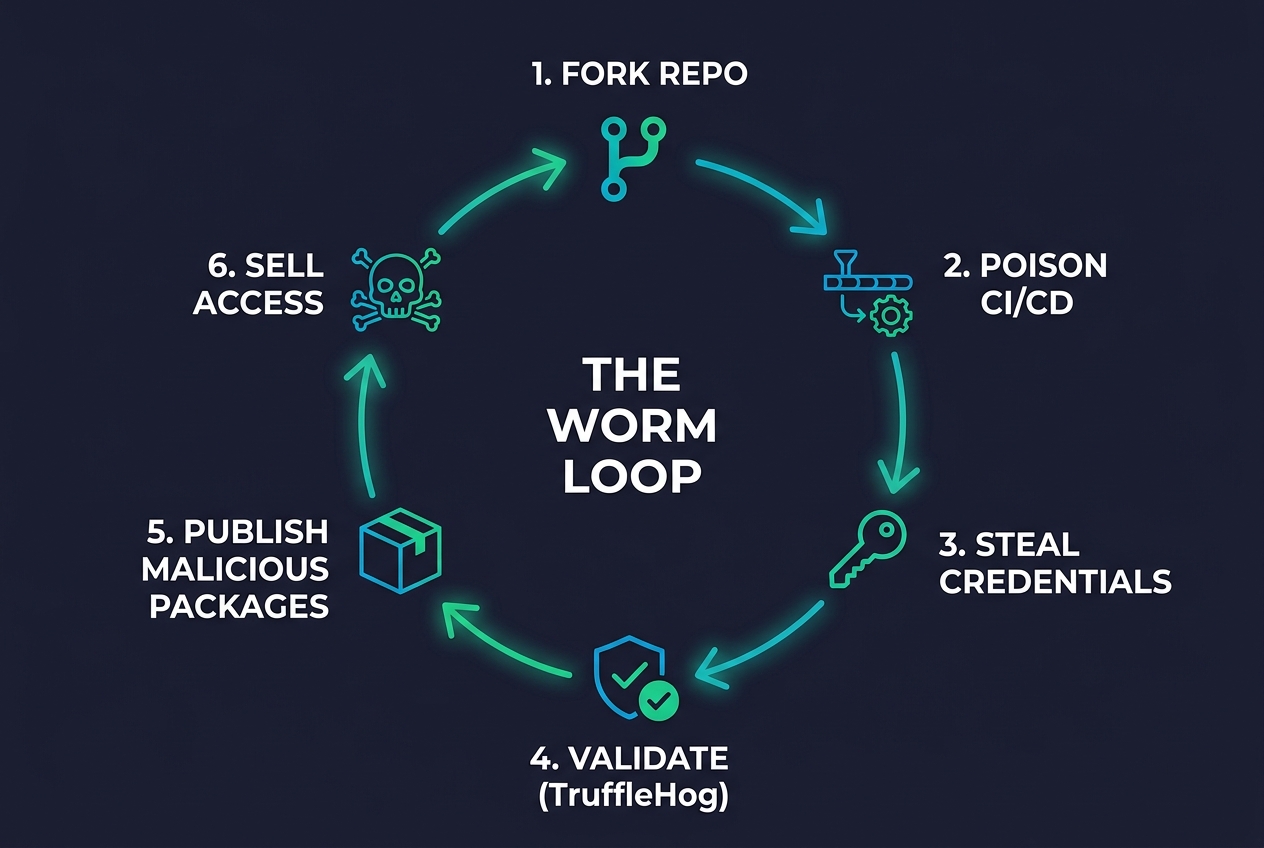
Mini Shai-Hulud attack loop diagram showing the 6-step cycle: Fork Repo, Poison CI/CD, Steal Credentials, Validate with TruffleHog, Publish Malicious Packages, Sell Access
The Mini Shai-Hulud attack loop: a self-reinforcing cycle of compromise.

The Attack Loop: How It All Connects

At a high level, the Mini Shai-Hulud worm and the broader TeamPCP campaign follow a devastatingly elegant loop:

  1. Fork and PR: The attacker forks a popular open-source repository and opens a pull request targeting pull_request_target workflows – or simply uses a stolen maintainer token.
  2. Abuse GitHub Actions: Misconfigured pull_request_target triggers or stolen OIDC tokens give access to repository secrets – including npm and PyPI publish tokens.
  3. Harvest everything: The SANDCLOCK payload sweeps 134 credential paths, steals crypto wallets, decrypts browser passwords, scrapes process memory, and extracts cloud credentials.
  4. Validate with TruffleHog: Every stolen credential is tested live against cloud services. Working keys are prioritized. Access is validated within hours.
  5. Auto-publish malicious packages: Stolen npm/PyPI tokens are used to publish malicious versions via direct HTTP PUT – no CLI, no telemetry, no 2FA if the token allows bypass.
  6. Propagate and monetize: Validated cloud access is sold to ransomware operators. Stolen GitHub repos are sold on cybercrime forums. The worm keeps spreading.

The VS Code extension vector adds another dimension: by poisoning extensions installed on developer workstations, attackers steal credentials directly from the source – personal access tokens, SSH keys, and cloud credentials stored on the developer’s machine. This is how GitHub’s internal repositories were compromised.

And because the malicious packages are published through real CI workflows using stolen tokens, they carry valid provenance and SLSA attestations. The infrastructure says “this came from the official pipeline.” The pipeline was compromised. Trust is the vulnerability.

What This Means for You

If you or your organization uses any of the tools, packages, or ecosystems mentioned above – and statistically, you probably do – here’s what you need to do.

Immediate Actions

  • Audit your dependencies. Check lockfiles (package-lock.json, pnpm-lock.yaml, yarn.lock, requirements.txt) for any packages published during the known attack windows. Any @antv/* package from May 19, any @tanstack/* package from May 11, Bitwarden CLI 2026.4.0, LiteLLM 1.82.7-1.82.8, node-ipc 9.1.6/9.2.3/12.0.1, any Trivy or KICS actions run since March 19, @fairwords/websocket 1.0.38-1.0.39, and @fairwords/loopback-connector-es 1.4.3-1.4.4 should be treated as potentially compromised.
  • Rotate everything. If there’s any chance a compromised package or extension touched your environment, rotate all credentials: GitHub PATs, npm tokens, cloud provider keys (AWS, GCP, Azure), SSH keys, Kubernetes secrets, CI/CD tokens, crypto wallet keys, browser-stored passwords, and any secrets in .env files or vaults. Don’t assume the attackers didn’t get to something – the credential sweep covers 134 path patterns.
  • Check for dead-man’s switches. Before rotating tokens on Linux machines, check for suspicious user services: systemctl --user list-units and look for anything unusual, particularly gh-token-monitor.service or similar. Back up critical data before cleanup.
  • Pin and freeze. Stop using floating version ranges (^, ~, latest) in production. Pin to known-good versions with exact hashes.
  • Clear caches. Clear npm caches, internal artifact proxies (Verdaccio, Artifactory, Nexus), and any CI runner caches that may have cached malicious tarballs.

Long-Term Hardening

  • Lock down GitHub Actions. Audit every workflow using pull_request_target. Ensure secrets are never accessible to forks. Gate publishing behind GitHub Environments with manual approval. Use OIDC-based authentication scoped to specific workflow files and branches – not repo-level trust.
  • Use OIDC trusted publishing. For npm and PyPI, move to OIDC-based publishing scoped to specific workflow files and branches. Eliminate long-lived publish tokens entirely.
  • Treat VS Code extensions as untrusted code. Because they are. Implement policies that restrict which extensions can be installed. Consider minimum-age policies (don’t install updates published in the last 48 hours). Nx Console was live for 18 minutes – a delay policy would have blocked it entirely.
  • Disable or restrict npm lifecycle scripts. Run npm ci --ignore-scripts in CI when packages don’t require native builds. Most of these attacks rely on preinstall and postinstall hooks.
  • Use dependency scanning. Tools like Snyk, Socket, and StepSecurity have detection signatures for Mini Shai-Hulud variants. Enable them.
  • Monitor registries for version bursts. 639 versions in 22 minutes is not normal. Set up alerts for unusual publication velocity in packages you depend on.
  • Enforce MFA on npm and GitHub accounts. Non-negotiable at this point.
  • Separate development and publishing environments. Don’t publish packages from the same machines where you browse the web and install VS Code extensions. Isolate your release pipeline.
  • Monitor for C2 indicators. Watch for outbound connections to known Mini Shai-Hulud infrastructure, unexpected DNS TXT traffic, and processes that override the system DNS resolver.

The Bottom Line

TeamPCP / UNC6780 didn’t find one vulnerability and exploit it. They turned the entire developer toolchain into a weapon against itself. CI pipelines, package registries, code editor extensions, Docker images, Jenkins plugins and every layer of trust in the software supply chain has been targeted, and in many cases, successfully compromised.

Their operation reads like a worst-case scenario: a self-replicating worm that steals everything from cloud credentials to crypto wallets, validates access with TruffleHog, sells it to ransomware operators, and wipes your machine if you try to cut them off. The GitHub breach,  3,800 internal repositories stolen through a VS Code extension that was live for 18 minutes, is the exclamation point.

When the platform that hosts most of the world’s open-source code gets compromised through a code editor extension, the message is clear: the perimeter is everywhere, and trust is the attack surface.

This campaign is ongoing. New targets will appear. The worm will evolve. Harden your tooling, rotate your credentials, and for the love of all that is secure stop blindly trusting everything in your package.json.

Three New Windows Zero-Days, One Angry Researcher, and a Six-Year-Old Bug That Never Really Died

Update (May 20, 2026): Microsoft has assigned CVE-2026-45585 to YellowKey and issued official mitigation guidance. This article has been updated to reflect the latest developments. GreenPlasma and MiniPlasma remain unpatched with no CVEs assigned.

Imagine someone walking up to your locked laptop, plugging in a USB stick, and walking away with every file on your encrypted hard drive. No password. No decryption key. No brute force. Just — gone.

That’s not a hypothetical. That’s YellowKey, one of three unpatched Windows zero-day exploits dropped in May 2026 by a pseudonymous security researcher known as Chaotic Eclipse (also going by Nightmare Eclipse). And it gets worse: one of the three exploits exploits a bug Microsoft claimed to have fixed more than five years ago.

Let’s break it all down.

Who Is Chaotic Eclipse?

Nobody knows the real identity behind the handle. What we do know is that Chaotic Eclipse has been on a relentless six-week campaign of publicly disclosing Windows zero-days — each one dropping shortly after Microsoft’s monthly Patch Tuesday, like clockwork, as if to say: You patched what you found. Here’s what you missed.

Before YellowKey, GreenPlasma, and MiniPlasma, this same researcher had already disclosed:

  • BlueHammer — a zero-day exploit (details vary by source, but it caused significant concern)
  • RedSun — a local elevation of privilege (EoP) exploit
  • UnDefend — a denial-of-service attack targeting Windows Defender itself

Each exploit came with a working proof-of-concept (PoC) published on GitHub, sometimes including compiled binaries — meaning anyone with basic technical skills could download and run them. This isn’t theoretical vulnerability research sitting in an academic paper. This is weaponized.

As for motive? Chaotic Eclipse has been clear: frustration with Microsoft’s Security Response Center (MSRC). The researcher claims Microsoft’s handling of vulnerability reports has been inadequate — slow responses, incomplete fixes, and what they perceive as a lack of urgency. Publishing working exploits publicly is the nuclear option in the vulnerability disclosure debate: it forces Microsoft’s hand by making the risk real and immediate.

YellowKey: The BitLocker Bypass That Shouldn’t Exist

Let’s start with the scariest one.

YellowKey is a full disk encryption bypass targeting Windows BitLocker. And it’s exactly as bad as it sounds.

What it does

YellowKey completely bypasses BitLocker drive encryption, giving an attacker with physical access to a machine full read access to the encrypted volume — without needing the BitLocker recovery key, without needing the user’s password, without breaking any cryptography.

How it works (in plain English)

  1. The attacker needs physical access to the target computer — think a stolen laptop, an unattended workstation, or a kiosk machine.
  2. They place a specially crafted folder called FsTx on a USB drive or in the EFI partition.
  3. They boot the machine into the Windows Recovery Environment (WinRE) — something you can do by holding Shift and clicking Restart. This is a built-in feature on every Windows machine.
  4. Here’s where it gets nasty: a flawed recovery process in WinRE hands the attacker a command prompt with full access to the encrypted drive.
  5. They can now browse, copy, or exfiltrate any file. No decryption needed. No key needed. Nothing.

There’s one important caveat: this only works if BitLocker is configured in TPM-only mode — meaning the encryption unlocks automatically when the device boots, without requiring a separate PIN or USB key. And here’s the uncomfortable truth: TPM-only mode is the default configuration for most Windows deployments.

What’s affected

  • Windows 11
  • Windows Server 2022
  • Windows Server 2025

Not affected: Windows 10.

Current status

Mitigation available, but no full patch yet. Microsoft has now assigned CVE-2026-45585 (CVSS 6.8) to YellowKey and issued official mitigation guidance — but a complete patch is still pending. The PoC remains publicly available.

Microsoft’s recommended mitigation involves two steps:

  1. Remove autofstx.exe from WinRE’s BootExecute registry value — this closes the specific recovery path that YellowKey exploits to gain shell access through WinRE.
  2. Switch BitLocker from TPM-only to TPM+PIN — requiring a PIN at boot adds an additional authentication factor that makes the WinRE bypass harder to exploit.

Important caveat: Some security researchers have noted that TPM+PIN may not be a complete solution on its own. The mitigation should be treated as a layered control — apply both steps together for the best protection, but understand that this is a workaround, not a definitive fix. A full patch from Microsoft is still needed.

Why it matters

BitLocker is supposed to be the last line of defense for data at rest. If someone steals your laptop, BitLocker is the thing standing between them and your company’s financial records, your clients’ personal data, or your proprietary source code. YellowKey removes that barrier entirely for the default configuration that most organizations are running.

This is especially dangerous for: laptops left in cars or hotel rooms, shared workstations in open-plan offices, branch office machines, kiosks and point-of-sale terminals, and any device using default BitLocker settings.

Illustration: BitLocker encryption bypass concept — a digital shield being broken through
YellowKey exploits a flaw in Windows Recovery Environment to bypass BitLocker encryption entirely.

GreenPlasma: Slipping a Fake ID Past the Bouncer

If YellowKey is the blunt instrument, GreenPlasma is the subtle con.

What it does

GreenPlasma is a local privilege escalation (LPE) exploit. That means an attacker who already has some level of access to a Windows machine — say, through a phishing email or a malicious download — can use GreenPlasma to elevate their privileges from a regular user all the way up to SYSTEM, the highest privilege level in Windows. Think of SYSTEM as the master key to the entire operating system.

How it works (in plain English)

  1. There’s a Windows component called ctfmon.exe (Collaborative Translation Framework Monitor). It handles text input features — language bars, handwriting recognition, that sort of thing. It runs in practically every Windows session, and it runs as SYSTEM.
  2. GreenPlasma manipulates Windows registry settings and Object Manager permissions — the internal plumbing that controls which processes can access what.
  3. It plants a malicious memory object in a location that only SYSTEM should be able to write to.
  4. When ctfmon.exe naturally interacts with this planted object, the exploit triggers — and gives the attacker SYSTEM-level access.

Think of it like slipping a fake VIP badge into the stack at the door of an exclusive club. The bouncer — ctfmon.exe — picks it up, checks it, and waves you right through into the VIP room. Except the VIP room is full control of the operating system.

What’s affected

  • Windows 11
  • Windows Server 2022
  • Windows Server 2026

Current status

Unpatched. No CVE assigned. No fix. The public PoC is partial — it currently triggers a UAC (User Account Control) prompt, meaning it’s not fully weaponized in its public form. But security researchers note that bypassing UAC is a well-understood problem, and a fully silent version is entirely possible.

Why it matters

GreenPlasma turns any initial compromise into full system takeover. That phishing email that an employee clicked? The malicious browser extension? The trojanized software download? With GreenPlasma, any of those footholds can be escalated to complete control of the machine.

This is particularly dangerous on multi-user systems, shared workstations, terminal servers, and any environment where users don’t have local admin rights (which, ironically, is supposed to be the safer configuration — GreenPlasma bypasses that entirely).

MiniPlasma: The Ghost of CVE-2020-17103

And now we get to the one that should make everyone at Microsoft very uncomfortable.

MiniPlasma is a local privilege escalation exploit — same end result as GreenPlasma, taking a regular user to SYSTEM. But the story behind it is what makes it extraordinary.

What it does

MiniPlasma exploits a race condition (a timing bug) in cldflt.sys, the Cloud Files Mini Filter Driver — a Windows component that manages files synced through OneDrive and similar cloud services. The exploit works on fully patched Windows 11, including systems running the May 2026 cumulative updates. The PoC is fully weaponized and publicly available with compiled binaries.

How it works (in plain English)

  1. cldflt.sys handles “placeholder” files — those OneDrive files that appear in your folder but are actually stored in the cloud until you open them.
  2. There’s a tiny timing window — a race condition — in how the driver checks permissions when handling these placeholder files.
  3. MiniPlasma exploits this split-second window to manipulate access checks and create privileged objects it shouldn’t be able to create.
  4. The result: a command prompt running as SYSTEM. Full control.

The shocking part: this was “fixed” in 2020

Here’s where the story takes a turn. This isn’t a new bug. This is essentially the same vulnerability that Google Project Zero researcher James Forshaw reported to Microsoft in September 2020. Microsoft assigned it CVE-2020-17103 and shipped a patch in the December 2020 Patch Tuesday.

Except — and this is the critical part — Chaotic Eclipse’s MiniPlasma PoC proves that the patch either didn’t fully address the underlying issue, or something in subsequent Windows updates re-introduced the vulnerability. Either way, a bug that Microsoft told the world was fixed over five years ago still works today on fully updated systems.

Independent verification

This isn’t just Chaotic Eclipse’s word against Microsoft’s. Security researcher Will Dormann has independently confirmed that MiniPlasma works reliably on fully patched Windows 11 systems with the May 2026 cumulative updates installed. This is verified. This is real.

Interestingly, MiniPlasma does not work on the latest Windows 11 Insider Canary builds — suggesting Microsoft may already be testing a fix. But Canary builds are experimental, and there’s no timeline for when (or if) that fix will reach regular users.

Current status

Unpatched on stable Windows. The original CVE-2020-17103 was supposedly resolved. No new CVE has been assigned for the current variant. The PoC is fully weaponized and publicly available. Microsoft’s official position is that they’re “investigating.”

Why it matters

A six-year-old bug that was “fixed” is still exploitable. The PoC works on the latest, most updated version of Windows. Anyone can download it from GitHub. This raises fundamental questions about the thoroughness of Microsoft’s patching process and whether “fixed” always means actually fixed.

Illustration: A ghostly vulnerability emerging from a cracked software patch — representing a bug that was supposedly fixed years ago
MiniPlasma exploits essentially the same bug that was reportedly patched in December 2020 — raising questions about whether the fix was ever complete.

Microsoft’s Response: Aware and Investigating

Microsoft’s response to the three zero-days has been evolving.

The company initially acknowledged it was “aware of the purported vulnerabilities and actively investigating” and reiterated support for “coordinated vulnerability disclosure.”

Since our initial reporting, there’s been a development: Microsoft has now assigned CVE-2026-45585 to YellowKey and issued official mitigation guidance (detailed in the YellowKey section above). However, a full patch is still not available.

Here’s where things stand across all three exploits:

  • YellowKey — CVE-2026-45585 assigned. Mitigation guidance issued. No full patch yet.
  • GreenPlasma — No CVE assigned. No patch. No official mitigation.
  • MiniPlasma — Original CVE-2020-17103 was supposedly resolved in 2020, but the exploit still works. No new CVE assigned for the current variant. Appears mitigated in Insider Canary builds, but no patch for stable Windows.
  • No timeline has been provided for when full patches will arrive for any of the three.

For organizations relying on Microsoft’s security ecosystem, the picture has improved slightly for YellowKey — but GreenPlasma and MiniPlasma remain unaddressed, and all three exploits still lack proper patches.

What This Means for Windows Security

Taken together, these three exploits paint a concerning picture:

Defense in depth has gaps. BitLocker, the flagship encryption product, has a bypass that works on its default configuration. Windows’ privilege management — the system that’s supposed to keep regular users from becoming administrators — has two separate bypass paths. These are fundamental security mechanisms failing in fundamental ways.

Patches aren’t always permanent. MiniPlasma is a stark reminder that a security patch is only as good as its completeness. If Microsoft’s 2020 fix for CVE-2020-17103 was incomplete, how many other “fixed” vulnerabilities are lurking? The company’s patch quality has been a recurring concern in the security community, and MiniPlasma adds powerful ammunition to that argument.

Public PoCs change the calculus. When a researcher publicly releases working exploit code — especially compiled binaries — the window for organizations to react slams shut. It’s no longer a theoretical risk discussed in security circles. It’s a tool that anyone can download and use. This dramatically lowers the barrier for attackers.

The disclosure debate is heating up. Chaotic Eclipse’s approach — full public disclosure with weaponized PoCs — is the aggressive end of the vulnerability disclosure spectrum. It’s controversial. Some in the security community argue it recklessly puts users at risk. Others argue it’s the only way to force vendors to take action. What’s undeniable is that it’s generating results: these vulnerabilities are now impossible to ignore.

What You Should Do Right Now

While we wait for Microsoft to respond with patches, here are practical steps you can take to reduce your exposure:

For YellowKey (BitLocker bypass):

  • Enable TPM + PIN for BitLocker — not TPM-only. This is the single most effective mitigation. Requiring a PIN at boot means the attacker can’t use WinRE to bypass encryption, even with physical access. Yes, it’s slightly less convenient. Do it anyway.
  • Disable USB boot in your BIOS/UEFI settings.
  • Set firmware passwords to prevent unauthorized changes to boot configuration.
  • Restrict physical access to sensitive machines — this exploit requires someone to physically touch the device.
  • Monitor for unexpected WinRE usage in your endpoint detection logs.

For GreenPlasma (privilege escalation via ctfmon):

  • Remove local admin rights from standard users — this is basic hygiene that also limits the damage from initial compromise.
  • Use application allowlisting (AppLocker, Windows Defender Application Control) to restrict what can run on your systems.
  • Monitor ctfmon.exe for abnormal behavior — unexpected child processes, unusual network connections, or SYSTEM-level activity originating from user sessions.
  • Limit who can execute code on critical systems in the first place.

For MiniPlasma (privilege escalation via Cloud Files):

  • Treat any local code execution as critical. MiniPlasma requires the attacker to already be able to run code on the machine. Your best defense is preventing that initial foothold — robust email filtering, endpoint protection, browser hardening, and user awareness training.
  • Deploy Attack Surface Reduction (ASR) rules and ensure your EDR solution is configured to detect SYSTEM-level shells spawned from user contexts.
  • Watch for the fix. If you have visibility into Windows Insider Canary builds, note that MiniPlasma appears mitigated there. When the patch hits stable, deploy it immediately.
  • Audit OneDrive and cloud file sync configurations on sensitive systems — the exploit targets the Cloud Files filter driver.

General recommendations:

  • Assume breach. With three public, unpatched zero-days in the wild, the threat landscape for Windows is more hostile than usual. Plan accordingly.
  • Layer your defenses. No single control is reliable right now. Combine endpoint protection, network segmentation, access controls, monitoring, and user training.
  • Watch Microsoft’s update channels closely for out-of-band patches or security advisories.

The Bottom Line

Three Windows zero-days — one now with a CVE and mitigation, the other two still untracked and unaddressed. Three different attack vectors — physical access bypass, privilege escalation through a text input component, and a ghost from 2020 that never really went away. All with public exploit code. All affecting fully patched, current versions of Windows.

Chaotic Eclipse may be motivated by frustration with Microsoft’s vulnerability handling, but the exploits are real, verified by independent researchers, and available to anyone who wants them. The debate about responsible disclosure is important, but it’s academic when the PoCs are already public.

Right now, the practical question isn’t whether these vulnerabilities exist — it’s what you’re going to do about it while Microsoft works on fixes. Enable that BitLocker PIN. Harden your endpoints. And keep one eye on Windows Update, because when these patches land, you’ll want them deployed fast.

The six-year-old bug is the one that should keep everyone up at night. If a fix from 2020 didn’t actually fix the problem, what else is hiding in the patch history?


Sources

NGINX Just Patched an 18-Year-Old Bug That Gives Attackers Remote Code Execution

NGINX Just Patched an 18-Year-Old Bug That Gives Attackers Remote Code Execution

Somewhere in your infrastructure, there’s almost certainly an NGINX server. It’s been quietly, reliably handling your traffic for years. And for 18 of those years, it’s been carrying a critical memory corruption bug that lets anyone with network access execute code remotely.

CVE-2026-42945 — discovered by DepthFirst Labs and disclosed on May 13, 2026 — is a heap buffer overflow in NGINX’s ngx_http_rewrite_module that dates all the way back to version 0.6.27, released in 2008. It carries a CVSS v4 score of 9.2 (Critical) and a CVSS v3.1 score of 8.1 (High). And there’s already a public proof-of-concept exploit on GitHub.

Eighteen years. Every NGINX version from 2008 to last week is affected.

What Happened

The vulnerability lives in NGINX’s URL rewriting engine — specifically in how the ngx_http_rewrite_module handles PCRE regex captures (like $1, $2) in rewrite replacement strings that contain a question mark (?).

Here’s the trigger condition. If your NGINX config contains something like this:

rewrite ^/old/(.*)$ /new/$1?param=value;
rewrite ^/some/other/path$ /destination;
# OR: if ($condition) { ... }
# OR: set $variable "value";

…then you’re vulnerable. The first rewrite uses an unnamed capture ($1) in a replacement string containing ?, and it’s followed by another rewrite, if, or set directive. That’s the pattern.

When this pattern is present, an unauthenticated attacker can send a crafted HTTP request with a malicious URI. NGINX’s rewrite engine computes the buffer size using one set of escaping assumptions, then writes to that buffer using a different set. The write overflows the heap buffer with attacker-controlled data.

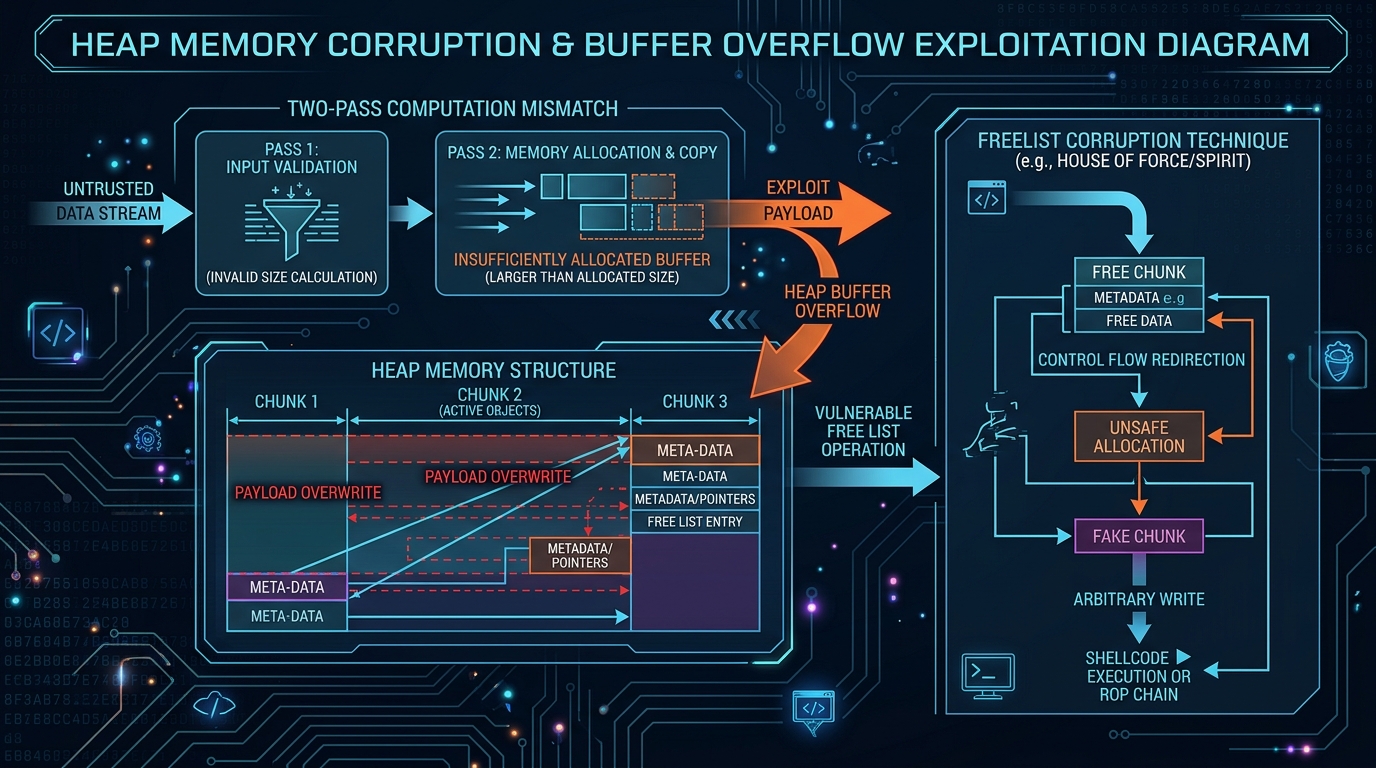
Heap buffer overflow exploitation diagram showing NGINX rewrite module two-pass mismatch
Figure 1: How the two-pass computation mismatch leads to deterministic heap corruption

Why It’s Serious

Deterministic, Not Probabilistic

This isn’t one of those vulnerabilities where the attacker has to get lucky with a race condition or brute-force memory addresses. The heap corruption is deterministic — the same crafted URI reliably produces the same overflow every single time. That makes it significantly easier to exploit.

From DoS to RCE

At minimum, successful exploitation crashes the NGINX worker process (denial of service). But on systems where Address Space Layout Randomization (ASLR) is disabled — which is more common than you’d think, especially in embedded devices, containers with specific configurations, or older deployments — the bug enables full remote code execution.

The public PoC demonstrates exactly this: using cross-request heap feng shui to corrupt an adjacent memory pool’s cleanup pointer, then redirecting it to execute system() on pool destruction. Pop a shell. Game over.

The Config Pattern Is Common

URL rewriting with regex captures is bread-and-butter NGINX configuration. It’s used for SEO redirects, legacy URL migration, API routing, and dozens of other common patterns. This isn’t some obscure misconfiguration — it’s how people actually use NGINX.

The Technical Bit (For Those Who Want the Details)

The bug is a beautiful example of a two-pass computation mismatch. Here’s how it works:

NGINX’s script engine processes rewrite replacements in two passes:

  1. The length pass — computes how much buffer space the output will need
  2. The copy pass — actually writes the data into the allocated buffer

The problem centers on a flag called is_args, which gets set on the main script engine when a rewrite replacement string contains ?. This flag tells the copy pass to URI-escape the captured value (since it’s going into a query string), expanding certain characters from 1 byte to 3 bytes (e.g., %XX encoding).

But here’s the critical detail: when a second rewrite, if, or set directive runs, it creates a freshly zeroed sub-engine. The length calculation pass runs on this sub-engine — where is_args = 0. The copy pass, however, inherits is_args = 1 from the parent engine.

Result:

  • Length pass sees is_args = 0 → calculates raw capture length (no escaping)
  • Copy pass sees is_args = 1 → calls ngx_escape_uri with NGX_ESCAPE_ARGS, expanding each escapable byte to 3 bytes

The copy writes significantly more data than the length pass allocated. Heap buffer overflow. Deterministic. Attacker controls the URI content.

The DepthFirst Labs PoC exploits this by using cross-request heap feng shui — spraying the heap with controlled data via POST bodies (since URI bytes can’t contain null bytes) — to corrupt an adjacent ngx_pool_t cleanup pointer. When the pool is destroyed, the corrupted pointer redirects execution to a fake cleanup structure that calls system(). Shell obtained.

Who’s Affected

NGINX Open Source: versions 0.6.27 through 1.30.0 (basically everything from 2008 to May 2026)

NGINX Plus: releases R32 through R36, Instance Manager 2.16.0–2.21.1, F5 WAF for NGINX 5.9.0–5.12.1

Kubernetes Ingress-NGINX: affected — update to v1.13.7+ or v1.14.3+

NGINX powers roughly a third of all websites on the internet. The reach of this vulnerability is massive.

How to Check If You’re Vulnerable

1. Check your NGINX version:

nginx -v

If it’s anything below 1.30.1 (stable) or 1.31.0 (mainline), you’re potentially affected.

2. Check your configuration for the vulnerable pattern:

grep -r "rewrite" /etc/nginx/ | grep '\$[0-9]' | grep '?'

Look for rewrite directives that use captures like $1, $2 etc. in replacement strings containing ?, followed by another rewrite, if, or set directive.

3. Verify ASLR status (Linux):

cat /proc/sys/kernel/randomize_va_space

If it returns 0, ASLR is disabled and you’re at risk for full RCE. If 2, ASLR is enabled (still vulnerable to DoS, RCE is harder but not impossible).

What You Should Do — Right Now

Immediate (today):

  • Upgrade NGINX to 1.30.1 (stable) or 1.31.0 (mainline) — these are the patched versions
  • If you’re running NGINX Plus, patch to the latest release (R37 or the appropriate patch level for your branch)
  • If you’re running Kubernetes Ingress-NGINX, update to v1.13.7+ or v1.14.3+
  • Check your package manager — many distros have backported patches. Ubuntu, Debian, RHEL, and others have likely issued updates even if the version number doesn’t match

Short-term (1–3 days):

  • If you can’t patch immediately, refactor your NGINX configs to avoid the vulnerable pattern — remove the ? from capture replacement strings, or restructure to avoid having a rewrite/if/set directive after a rewrite with captures
  • Ensure ASLR is enabled on all NGINX servers — while this doesn’t eliminate the vulnerability, it significantly raises the bar for RCE exploitation
  • Review access logs for unusual or malformed URIs that might indicate exploitation attempts

Longer term:

  • Also patch the related CVEs fixed in the same release:
    • CVE-2026-42926 — HTTP/2 request injection via ngx_http_proxy_module
    • CVE-2026-42946 — Buffer overread in SCGI/UWSGI modules
    • CVE-2026-42934 — Buffer overread in charset module
    • CVE-2026-40460 — HTTP/3 address spoofing
    • CVE-2026-40701 — Use-after-free in OCSP requests
  • Audit your NGINX configurations regularly. Rewrite rules are one of the most complex parts of NGINX config — and complexity is where bugs hide
  • Run vulnerability scans against your NGINX infrastructure to catch unpatched instances

The Bigger Story: Found by AI, Again

Here’s something that should sound familiar by now. DepthFirst Labs reports that this vulnerability — along with three other memory corruption issues in the same release — was autonomously discovered by their security analysis system after a single click to onboard the NGINX source code.

This is the second major vulnerability we’ve covered this month that was found by automated security analysis tools. First Copy Fail (CVE-2026-31431) was surfaced by Theori’s Xint Code in about an hour. Now NGINX Rift (CVE-2026-42945) was found by DepthFirst’s autonomous system.

The pattern is clear: the era of bugs lurking in critical infrastructure for decades is accelerating toward its end — not because humans are getting better at code review, but because machines are getting better at finding what humans missed.

The Bottom Line

CVE-2026-42945 is an 18-year-old critical heap buffer overflow in NGINX’s rewrite module that enables unauthenticated remote code execution on servers with a common configuration pattern. A public proof-of-concept exploit exists. Patch to NGINX 1.30.1 or 1.31.0 immediately. If you can’t patch today, refactor your configs. And while you’re at it, check if you’ve been running the same NGINX version since the Obama administration — it might be time for a broader security review.

Sources & Further Reading

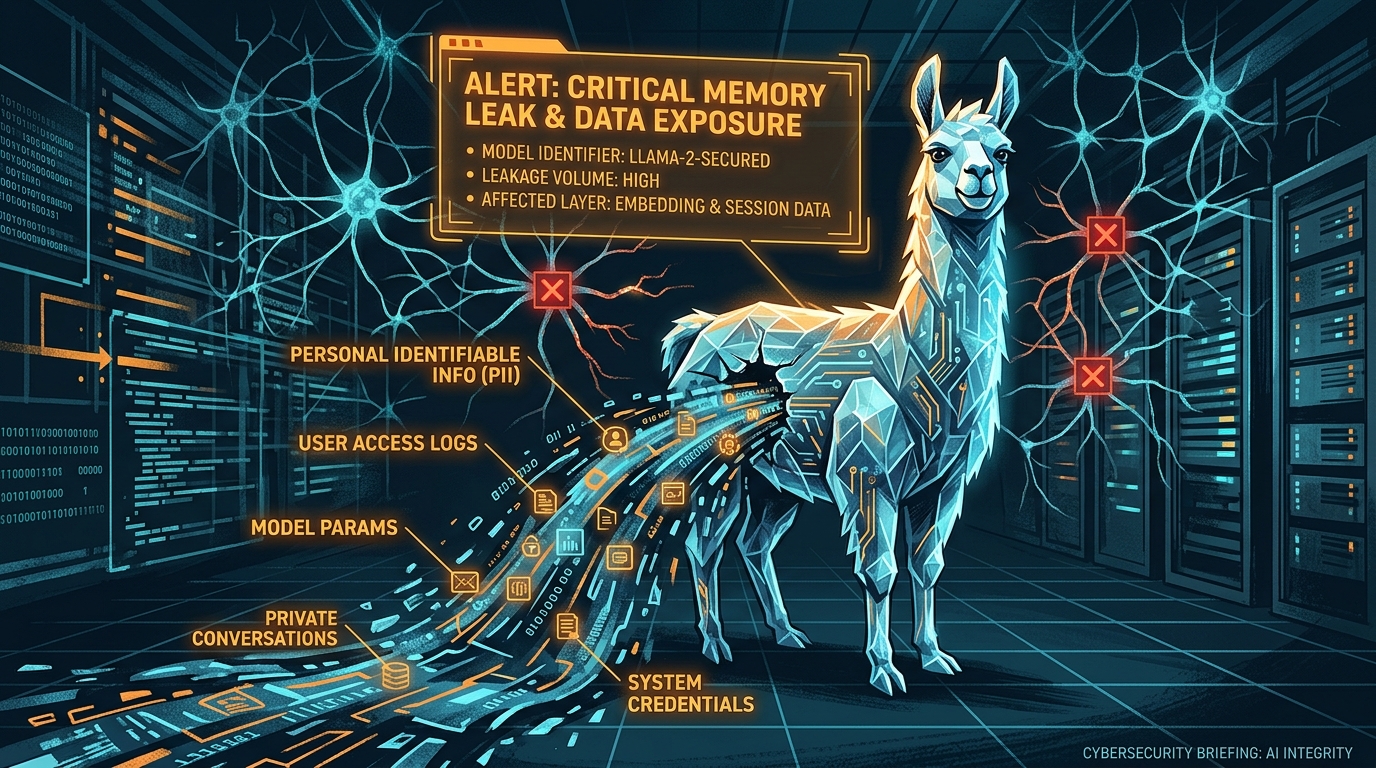
Bleeding Llama: The Critical Memory Leak in Ollama That Exposes 300,000 AI Servers

Your AI Server Is Leaking Passwords. Three API Calls. Zero Authentication. Meet “Bleeding Llama.”

Imagine a vulnerability so elegant that an attacker can siphon the entire memory of your AI inference server — every user conversation, every API key, every environment variable — using nothing more than three unauthenticated HTTP requests. No exploits to compile. No zero-day market to browse. Just curl.

Welcome to CVE-2026-7482, a.k.a. “Bleeding Llama” — a critical heap out-of-bounds read vulnerability in Ollama, the open-source tool that’s become the default way to run large language models locally. CVSS score: 9.1. Exposed servers: approximately 300,000. Authentication required: absolutely none.

Discovered by Cyera Research and disclosed on May 5, 2026, this is the kind of vulnerability that makes you reconsider every AI tool you’ve deployed without thinking about the attack surface.

What Is Ollama, and Why Should You Care?

If you’re not familiar: Ollama is an open-source platform that lets you run large language models — Llama, Mistral, Gemma, and dozens of others — directly on your own hardware instead of calling cloud APIs. With 170,000+ GitHub stars, over 100 million Docker Hub downloads, and adoption across enterprises of every size, Ollama has quietly become the standard for self-hosted AI inference.

It’s everywhere. Internal chatbots, code assistants, data analysis tools, customer-facing AI products — if a company is running open-source LLMs, there’s a good chance Ollama is underneath it all.

And here’s the uncomfortable part: many of those deployments are sitting on the open internet, listening on all interfaces, with no authentication whatsoever.

What Happened

The vulnerability lives in Ollama’s GGUF model file processing pipeline — specifically in the WriteTo() and ConvertToF32() functions that handle tensor data during model quantization (the process of converting model weights between precision formats).

Here’s the core problem: Ollama trusts the tensor dimensions declared inside GGUF files without validating them against actual allocated buffer sizes.

An attacker crafts a malicious GGUF file that declares tensor sizes larger than the actual file content. When Ollama processes this file during quantization, it reads past the buffer boundary into adjacent heap memory — which can contain anything from other users’ chat sessions to API keys stored in environment variables.

The clever part? The exploit uses a lossless F16-to-F32 conversion, meaning the leaked heap memory gets encoded into the output model file exactly as it existed — no corruption, no garbage data. Clean extraction.

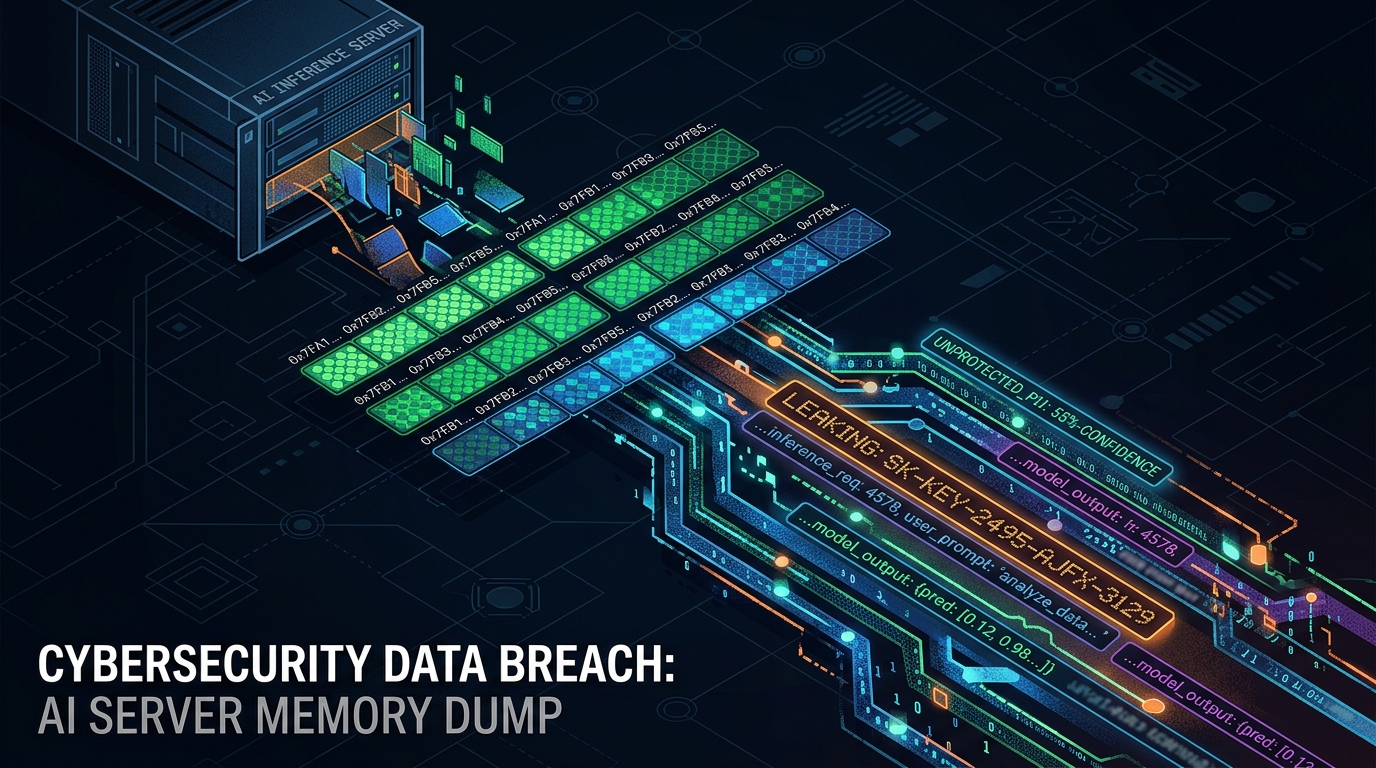
AI server memory dump visualization showing data exposure from Ollama inference server
Figure 1: How Bleeding Llama extracts sensitive data from Ollama process memory

The Three-Step Attack

The entire exploit chain is beautifully simple and requires zero authentication, zero user interaction, and zero privileges:

  1. POST /api/blobs/sha256:<hash> — The attacker uploads their malicious GGUF file to the Ollama server. It’s stored as a blob, no questions asked.
  2. POST /api/create — The attacker tells Ollama to create a model from that blob. This triggers the quantization process, which reads past the buffer into heap memory, embedding the leaked data into the new model artifact.
  3. POST /api/push — The attacker pushes the resulting model (now containing stolen memory contents) to a registry they control. The data is exfiltrated. Done.

Three API calls. The server never crashes. No alarms go off. The attacker walks away with a dump of the Ollama process memory.

What Gets Leaked

This is where it gets painful. The Ollama process memory can contain:

  • User messages and prompts from active and recent sessions — every question typed into the AI, every response generated
  • System prompts and configuration data — the instructions that shape how the AI behaves
  • Environment variables — which frequently contain API keys, database credentials, authentication tokens, and other secrets
  • Fragments of other users’ conversations — on multi-user systems, one attacker can read everyone else’s data
  • Model weights and proprietary data — for organizations running custom fine-tuned models

For a company running an internal AI assistant, this could mean every employee’s queries — including sensitive business discussions, code reviews, or strategic questions — are readable by anyone who can reach the server. For an MSP hosting AI services for clients, it means your customers’ data is exposed. For a healthcare or financial services company, this is a compliance nightmare.

The Technical Bit (For the Curious)

A few details worth understanding:

Why is this possible in Go? Go is a memory-safe language — buffer overflows shouldn’t happen. The answer is the unsafe package, which gives developers an escape hatch for low-level memory operations. Ollama uses unsafe in exactly one place: the GGUF tensor processing code. That’s precisely where this vulnerability lives. As Cyera dryly noted, “all the usual safety guarantees go out the window.”

The quantization pipeline: When Ollama processes a model file, it can convert between precision formats (e.g., F16 → F32). For optimization, the conversion always goes through F32 as an intermediate step. The WriteTo() function performs this conversion. But because the source buffer size comes from the attacker-controlled GGUF metadata — not the actual file — Ollama happily reads well past the end of the legitimate data into whatever’s next to it in the heap.

Why lossless matters: The F16-to-F32 conversion is lossless — every bit of the source data is preserved exactly. This means the leaked heap memory isn’t garbled or approximated. It’s a byte-for-byte copy of whatever was sitting in that memory region. The attacker gets clean, usable data.

Stealth: The server doesn’t crash. No panic. No error logs. The memory read is silent. The only trace would be API calls to /api/blobs, /api/create, and /api/push — which are all normal Ollama operations and easy to miss in logs.

Why 300,000 Servers Are Exposed

Ollama’s default configuration binds to 127.0.0.1 (localhost only), which would be safe. But the widely documented approach for deploying Ollama in production — including in the official docs — sets OLLAMA_HOST=0.0.0.0, which opens it up on all network interfaces. Combined with zero built-in authentication on the API, this creates a perfect storm: servers running on port 11434, accessible from the entire internet, requiring no credentials to interact with.

This is a textbook example of secure defaults losing to convenient defaults. The configuration that “just works” for multi-client deployments is also the configuration that exposes your AI server to the world.

The Disclosure Timeline — A Story in Itself

The timeline here is worth noting, because it reveals some friction in the vulnerability reporting process:

  • February 2, 2026 — Vulnerability reported to Ollama
  • February 25, 2026 — Ollama acknowledges and shares a fix
  • v0.17.1 released — Patch shipped, but notably without clear security advisories
  • March 2, 2026 — CVE request submitted to MITRE — no response
  • April 26, 2026 — Cyera escalates to Echo, a third-party CVE Numbering Authority
  • April 28, 2026 — CVE-2026-7482 officially assigned
  • May 5, 2026 — Full public disclosure by Cyera Research

Three months from report to public disclosure. The patch was available relatively quickly — but the lack of a clear security advisory from Ollama means many organizations may have updated without realizing they were fixing a critical security vulnerability. If you’re running Ollama and updated to v0.17.1 sometime after February, you’re patched — but you should still check whether your server was exposed before the update.

What You Should Do — Right Now

Immediate actions (today):

  • Update Ollama to v0.17.1 or later. This is the patched version. If you’re running anything older, you’re vulnerable
  • Check your network exposure. Is port 11434 accessible from the internet? Use ss -tlnp | grep 11434 or check your cloud security group rules. If it’s open, close it
  • Rotate all credentials that were in the Ollama environment — API keys, tokens, database passwords, anything stored in environment variables

Short-term (1–7 days):

  • Audit your logs for suspicious API calls — specifically look for:
    • Unusual /api/blobs uploads (large GGUF files from unknown sources)
    • /api/create calls from unexpected IPs
    • /api/push operations pushing to registries you don’t recognize
  • Bind Ollama to 127.0.0.1 if it doesn’t need to be network-accessible. If it does need network access, put it behind a reverse proxy with authentication
  • Implement firewall rules restricting access to port 11434 to known, trusted IPs only

Longer term:

  • Treat your AI inference server like any other sensitive service. Authentication, encryption, network segmentation, audit logging — the basics you’d apply to a database server apply here too
  • Review your AI infrastructure for similar risks. Ollama isn’t the only self-hosted AI tool with a relaxed security posture. If you’re running other model servers (vLLM, TGI, LocalAI), apply the same scrutiny
  • Monitor for similar vulnerabilities. The GGUF format is used across the AI ecosystem. Bugs in model file parsing are likely to recur in other tools

The Bottom Line

Bleeding Llama (CVE-2026-7482) is a reminder that “running AI locally” doesn’t mean “running AI securely.” Ollama is a fantastic tool, but its default deployment pattern has been exposing 300,000 servers to a trivially exploitable memory leak that requires no authentication and no special tools. If you’re running Ollama — especially if it’s internet-facing — update to v0.17.1 now, rotate your credentials, and check your logs. The era of treating AI infrastructure as exempt from security basics is over. Your LLM server is a server. Secure it like one.

Sources & Further Reading

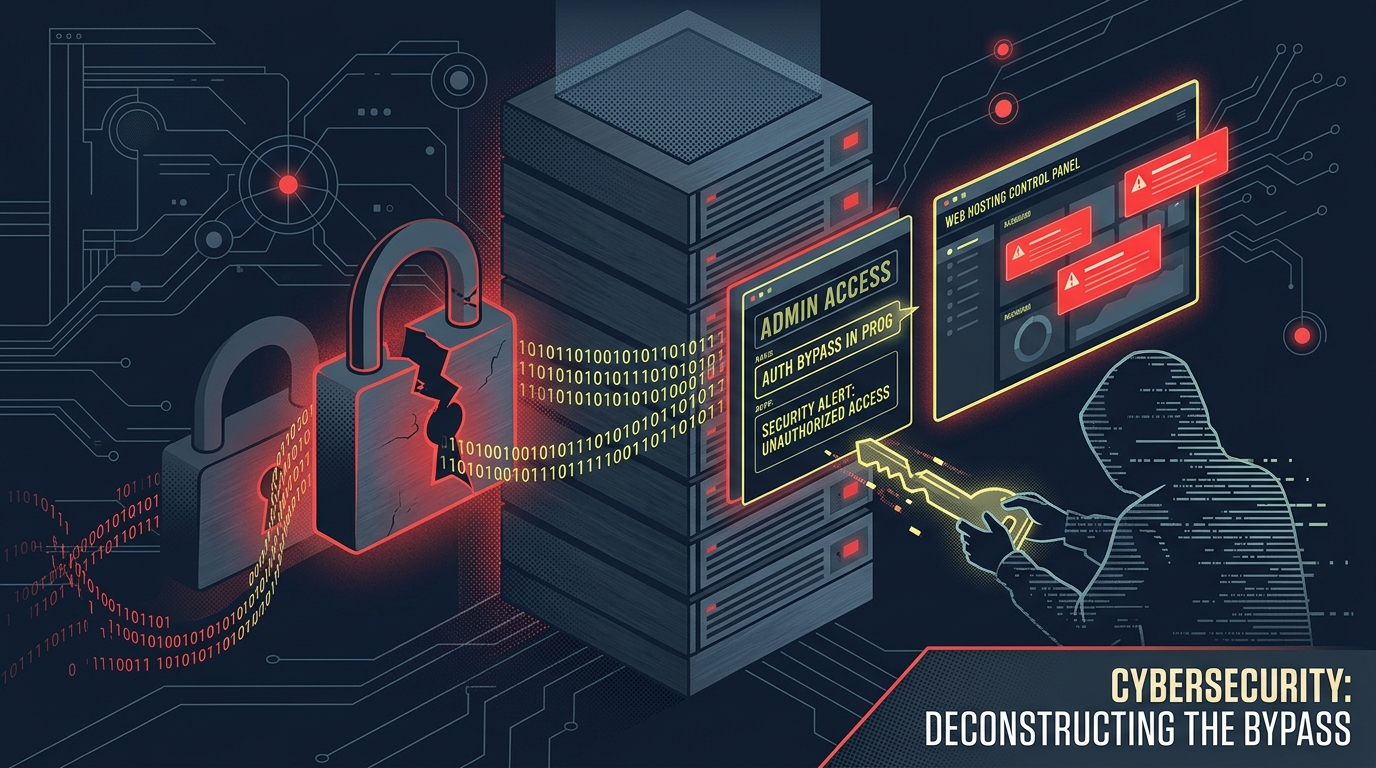
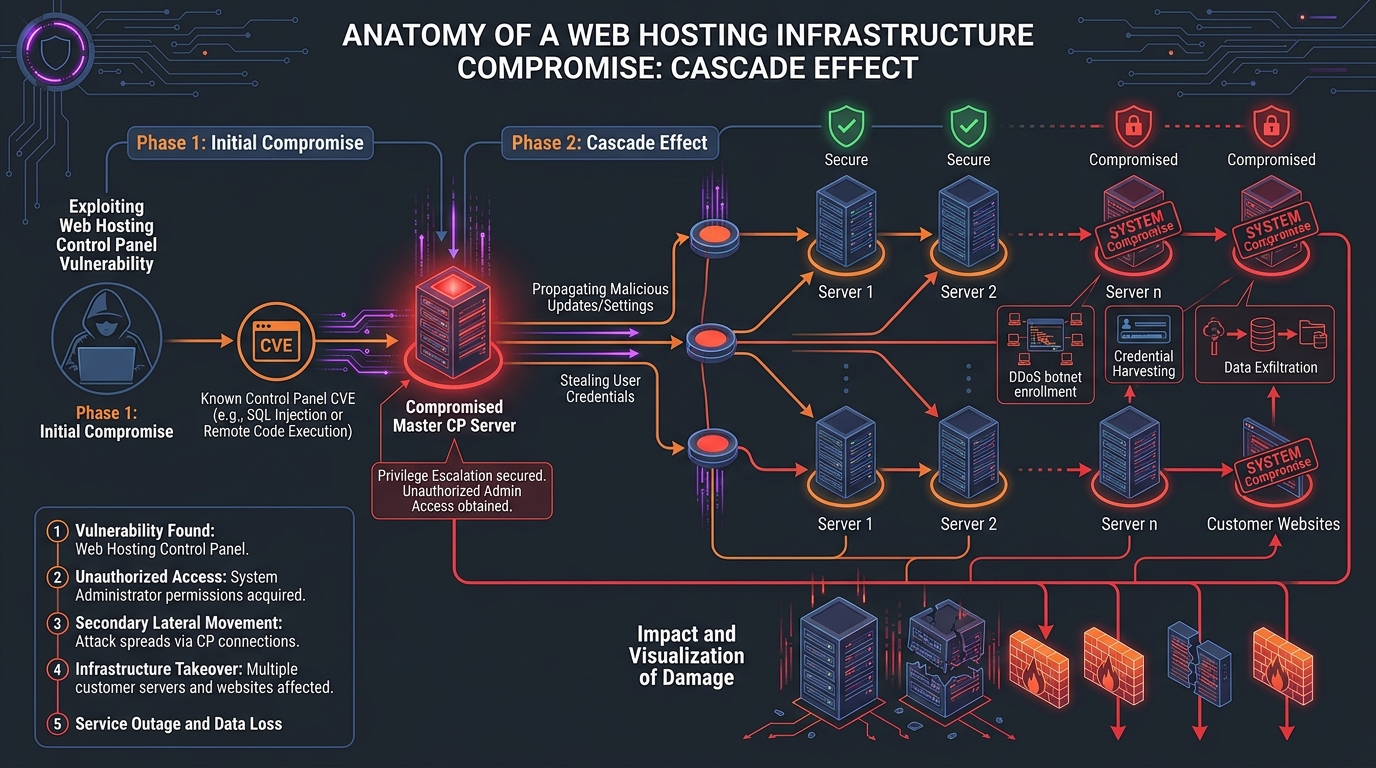
1.5 Million Servers, Zero Passwords: The cPanel Auth Bypass Targeting Governments

1.5 Million Servers. A CVSS 9.8 Bug. Zero Authentication Required.

If your hosting provider runs cPanel — and statistically, there’s a good chance they do — you need to read this right now. Not later. Not after coffee. Now.

CVE-2026-41940 is a critical pre-authentication remote authentication bypass in cPanel & WHM, the web hosting control panel that powers roughly 1.5 million internet-facing servers. It carries a CVSS score of 9.8 out of 10, which in plain English means: anyone on the internet can log into your server as root without a password.

And it’s already being exploited. Not by random script kiddies — by actors targeting government agencies and military infrastructure in Southeast Asia.

What Happened

On April 28, 2026, cPanel issued an emergency security patch for what their release notes modestly described as “an issue with session loading and saving.” The reality is considerably more alarming.

The vulnerability, discovered and analyzed by security firm watchTowr, is a pre-authentication authentication bypass that chains together three separate weaknesses in how cPanel handles login sessions. The result: an unauthenticated attacker can craft a malicious request that injects arbitrary data into their session file, including the magical field successful_internal_auth_with_timestamp — which tells cPanel “this user is already authenticated, skip the password check.”

By April 29, a proof-of-concept exploit was public. Within 24 hours, threat actors were deploying Mirai botnets and ransomware on compromised servers. By May 1, CISA had added it to its Known Exploited Vulnerabilities catalog.

Server infrastructure exploitation chain showing how cPanel authentication bypass cascades across hosted websites
Figure 1: How a single cPanel exploit cascades into full server compromise

Who’s Being Targeted

Here’s where this stops being a generic vulnerability story and becomes a genuine geopolitical concern.

On May 2, 2026, threat intelligence firm Ctrl-Alt-Intel identified a targeted campaign exploiting CVE-2026-41940 against:

  • Philippine government and military domains (*.mil.ph, *.ph)
  • Laotian government infrastructure (*.gov.la)
  • Managed Service Providers (MSPs) in the Philippines, Laos, Canada, South Africa, and the United States
  • Hosting providers running cPanel across multiple regions
Southeast Asia cyber attack targeting map showing government infrastructure compromise
Figure 2: Targeted attacks on Southeast Asian governments and global MSPs

The attackers, operating from IP address 95.111.250.175, used publicly available proof-of-concept code to gain initial access, then deployed a sophisticated post-exploitation toolkit:

  • AdaptixC2 — for command and control communications
  • OpenVPN and Ligolo — for persistence and lateral movement across networks
  • systemd services — for durable backdoor installation

In one confirmed case, attackers exfiltrated sensitive Chinese railway documents. A separate attack chain against an Indonesian defense portal combined the cPanel exploit with authenticated SQL injection and remote code execution. This isn’t opportunistic scanning — it’s a coordinated intelligence operation.

The Technical Bit (For Those Who Want Details)

The vulnerability is a masterclass in chaining small bugs into catastrophic results. Here’s the three-step exploit chain:

Step 1: CRLF Injection. The attacker sends a Basic Auth request with newline characters embedded in the credentials. By crafting the whostmgrsession cookie without the encryption-key segment, they bypass the encryption that would normally protect the session file. The cPanel daemon (cpsrvd) writes the attacker’s unsanitized input directly to disk.

Step 2: Race Condition in Session Storage. cPanel stores sessions in both a raw text file and a JSON cache. The attacker triggers a “token denied” handler, which forces the server to re-parse the poisoned raw file. The injected data gets promoted into the active session cache as if it were legitimate.

Step 3: Authentication Flag Bypass. The password-checking function (docheckpass_whostmgrd) short-circuits if the session contains a successful_internal_auth_with_timestamp field — a flag meant for legitimate internal SSO operations that has no cryptographic binding. The attacker injects this field. The system skips password verification entirely.

The whole thing is pre-authentication, requires no user interaction, and works remotely over the network. Hence the 9.8 CVSS score.

Why This Matters for Everyone — Not Just Governments

You might be thinking, “I’m not a Southeast Asian government, this doesn’t affect me.” Think again.

Here’s the uncomfortable math: ~1.5 million cPanel instances are exposed to the internet. Every shared hosting provider, every small business running their own server, every agency managing client websites through WHM — they’re all in the blast radius.

Even if you’re not the primary target, the fallout is massive:

  • If your hosting provider gets compromised, every website they manage is at risk — including yours
  • If your MSP gets hit, your entire business infrastructure could be exposed
  • Mirai botnet operators are already using this to build zombie armies from compromised servers
  • “Sorry” ransomware has been deployed on exploited systems within 24 hours of the PoC going public

On April 30 alone, Shadowserver detected 44,000 compromised IPs actively scanning and brute-forcing honeypots. That number dropped to 3,540 by May 3 — but that’s not a sign the threat is fading. It means the initial wave of mass exploitation succeeded, and those servers are now weaponized.

What You Should Do — Right Now

Immediate actions (today):

  • Update cPanel immediately. Patches were released April 28, 2026. Check your version against the fixed releases:
    • v11.86.0.41 or later
    • v11.110.0.97 or later
    • v11.118.0.63 or later
    • v11.126.0.54 or later
    • v11.130.0.19 or later
    • v11.132.0.29 or later
    • v11.134.0.20 or later
    • v11.136.0.5 or later
    • WP Squared v136.1.7 or later
  • Rotate all credentials — cPanel/WHM passwords, API tokens, database passwords, everything
  • Invalidate all active sessions — force every user to re-authenticate

Short-term (1–3 days):

  • Audit session directories — inspect /usr/local/cpanel/session for anomalies: injected authentication timestamps, sessions with authenticated attributes but no login history, password fields with embedded newlines
  • Check logs for exploitation going back to February 23, 2026 — this was being exploited as a zero-day for two months before the patch
  • Review network traffic for connections to known C2 infrastructure (AdaptixC2 indicators) and suspicious VPN/Ligolo tunnels
  • If you’re a hosting provider, consider temporarily restricting ports 2082–2087 and 2095–2096 if you can’t patch immediately — but understand this is a workaround, not a fix

Longer term:

  • Verify your hosting providers have patched. If you use shared hosting or a managed provider, ask them directly. Don’t assume
  • Monitor for lateral movement — if cPanel was compromised, assume the attackers moved deeper into your infrastructure
  • Review your attack surface — if WHM or cPanel ports are exposed to the entire internet, ask yourself if they need to be. Consider IP allowlisting or VPN-only access

The Bottom Line

CVE-2026-41940 isn’t theoretical. It’s not a “maybe patch this weekend” situation. It’s a pre-authentication, remote, root-level authentication bypass in software that runs on 1.5 million servers — and it’s already being weaponized by actors targeting governments and service providers. If you run cPanel and haven’t patched since April 28, treat your server as compromised until proven otherwise. Patch now. Rotate credentials now. Check your logs back to February. The internet is not being gentle about this one.

Sources & Further Reading

Copy Fail: The 9-Year-Old Linux Bug That Lets Anyone Become Root — and the AI That Found It in an Hour

A Bug That Hid for Nine Years. An AI Found It in an Hour.

Imagine a skeleton key that fits every lock on the planet. Now imagine it’s been sitting in a drawer since 2017, and nobody noticed until a machine went looking for it.

That’s essentially what happened with CVE-2026-31431, nicknamed “Copy Fail” — a high-severity Linux kernel vulnerability that lets any unprivileged user escalate to full root access on virtually every major Linux distribution. It affects Ubuntu, Red Hat, SUSE, Amazon Linux, Debian, Fedora, Arch — the whole lineup. And it’s been there for nine years.

Here’s the part that should keep everyone in IT up at night: it was found by an AI system in about an hour.

What Happened

On April 29, 2026, security research firm Theori publicly disclosed CVE-2026-31431 — a local privilege escalation (LPE) vulnerability in the Linux kernel’s cryptographic subsystem. Specifically, it lives in the algif_aead module, which is part of the AF_ALG userspace crypto API.

The bug allows an unprivileged local user to perform a controlled 4-byte write into the kernel’s page cache — the shared memory that holds copies of files the system is actively using. By carefully corrupting the in-memory version of a privileged binary like /usr/bin/su, an attacker can execute that corrupted binary and gain root access.

And here’s the kicker: the exploit is a 732-byte Python script. No compilation needed, no network access required, no race conditions to win. It just works. Across distributions. Reliably.

Oh, and a fully working proof-of-concept is already public.

Why It Matters

It’s a Nine-Year-Old Bug in Everything

The flaw was introduced in 2017 via a kernel commit (72548b093ee3) that added an in-place optimization to the crypto subsystem — essentially reusing source memory as destination during cryptographic operations. It’s a performance tweak that introduced a subtle but devastating logic error. And it’s been baked into every major Linux distribution since then.

That means every Linux server, container host, cloud instance, and embedded device running a kernel from 2017 onwards has been vulnerable. That’s a lot of machines.

Containers Are Not the Safety Net You Think They Are

If your security model relies on containers as isolation boundaries, Copy Fail just punched a hole through it. Because the Linux kernel’s page cache is shared across all containers on a host, a compromised container can corrupt memory that affects every other tenant on that machine — and the host itself.

This is especially dangerous for:

  • Multi-tenant Kubernetes clusters — Namespace isolation doesn’t protect against page cache corruption
  • CI/CD runners — Self-hosted GitHub Actions runners, GitLab runners, Jenkins agents executing code from pull requests
  • AI sandboxes — Any system that lets an AI agent execute arbitrary code inside a container

As Bugcrowd’s analysis put it: if your isolation story has the word “container” in it without “microVM,” “gVisor,” or “dedicated host” right next to it, Copy Fail is in your threat model.

Container escape vulnerability diagram showing cloud infrastructure security breach
Figure 1: How Copy Fail enables container escape and multi-tenant compromise

CISA Has Taken Notice

The Cybersecurity and Infrastructure Security Agency (CISA) has already added CVE-2026-31431 to its Known Exploited Vulnerabilities (KEV) catalog, meaning federal agencies are required to patch — and everyone else should consider it a priority too.

Microsoft Defender reports seeing preliminary exploit testing activity, and expects increased threat actor exploitation in the near term.

The Technical Bit (For the Curious)

Alright, let’s get slightly nerdy. Here’s how Copy Fail actually works:

The flaw is in the interaction between the AF_ALG socket interface and the splice() system call within the algif_aead module. The 2017 in-place optimization allows a page-cache page to end up in the kernel’s writable destination scatterlist for an AEAD (Authenticated Encryption with Associated Data) operation.

The attack works like this:

  1. An unprivileged process opens an AF_ALG socket and sets up an AEAD operation
  2. It uses splice() to feed data into that socket from a target file it can read but not write
  3. Due to the in-place optimization bug, the kernel performs a failed copy operation that incorrectly writes back into the page cache
  4. The attacker controls a precise 4-byte write into any readable file’s in-memory cache
  5. By targeting the right bytes in a setuid binary like /usr/bin/su, execution of that binary grants root

Why it’s nasty:

  • Deterministic — no race conditions, no timing tricks. It works every time
  • In-memory only — the on-disk file is never modified, making forensic detection harder
  • Bypasses MAC — SELinux and AppArmor are effectively neutralized once you’re root
  • Universal — the same exploit script works across Ubuntu, RHEL, SUSE, Amazon Linux without modification

The closest historical comparison is Dirty Pipe (CVE-2022-0847) — the 2022 vulnerability that allowed similar page cache manipulation through the pipe subsystem. Copy Fail is the same class of primitive, just living in a different neighborhood of the kernel.

As for why it went unnoticed for nearly a decade? The crypto subsystem is heavily reviewed — but from a cryptographic perspective. Researchers look for things like side channels, parameter validation, and algorithm correctness. Copy Fail is fundamentally a memory ownership bug — a question about where memory came from and whether the kernel should be writing through it. Different lens, blind spot.

What You Should Do

Right now (0–24 hours):

  • Inventory your Linux systems. Know what kernel versions you’re running across servers, containers, VMs, and edge devices
  • Apply kernel patches immediately where available. Patches have been released in kernel versions 6.18.22, 6.19.12, and 7.0. Check your distribution’s security advisories for backported fixes
  • Identify high-risk surfaces: multi-tenant Kubernetes clusters, shared CI/CD runners, AI code-execution sandboxes

Short-term (1–7 days):

  • If you can’t patch immediately, consider blacklisting the algif_aead kernel module: echo blacklist algif_aead > /etc/modprobe.d/algif_aead.conf followed by a reboot. This blocks the specific attack vector but may break applications that depend on kernel-accelerated AEAD crypto
  • Audit for compromise indicators — look for unexpected root access, privilege escalations, or suspicious Python execution from unprivileged accounts
  • Review container isolation — for critical workloads, consider migrating from standard containers to microVMs (like Firecracker), gVisor, or dedicated hosts

Longer term:

  • Rethink your trust boundaries. If you’re running untrusted code in containers on shared kernels, this bug is your wake-up call. The container-as-security-boundary model has now been repeatedly challenged
  • Implement defense-in-depth: seccomp profiles, auditd rules, and kernel module restrictions all add layers that make exploitation harder even when individual bugs exist
  • Watch for updated advisories. The understanding of this vulnerability’s impact is still evolving

The Bigger Story: AI Found This in an Hour

Let’s talk about the elephant in the room. Theori’s AI-powered vulnerability discovery system, Xint Code, reportedly surfaced this bug with one operator prompt and about an hour of scan time against the Linux crypto subsystem. No custom harnessing, no manual instrumentation.

This is a bug that sat in the Linux kernel — one of the most scrutinized codebases on the planet — for nine years. Exploit brokers like Zerodium historically paid up to $500,000 for Linux zero-days of this quality. An AI system found it in the time it takes to watch a movie.

Theori isn’t some unknown startup either — they’ve won DEF CON CTF nine times and placed third in DARPA’s AI Cyber Challenge. When they say “one prompt, one hour,” the security community takes notice.

This isn’t just about one bug. It’s about what happens when vulnerability discovery becomes dramatically faster and more accessible. The skill required to find critical bugs is starting to look a lot more like the skill required to describe what you’re looking for.

The Bottom Line

Copy Fail (CVE-2026-31431) is a textbook example of a simple logic error with catastrophic consequences. Nine years old, universally present, trivially exploitable, and already in CISA’s crosshairs. Patch your Linux systems — especially shared infrastructure running containers. And if your security model treats containers as a hard boundary, it might be time to have a conversation about microVMs. The era of bugs hiding for a decade is ending. The question is whether your patching speed can keep up.

Sources & Further Reading